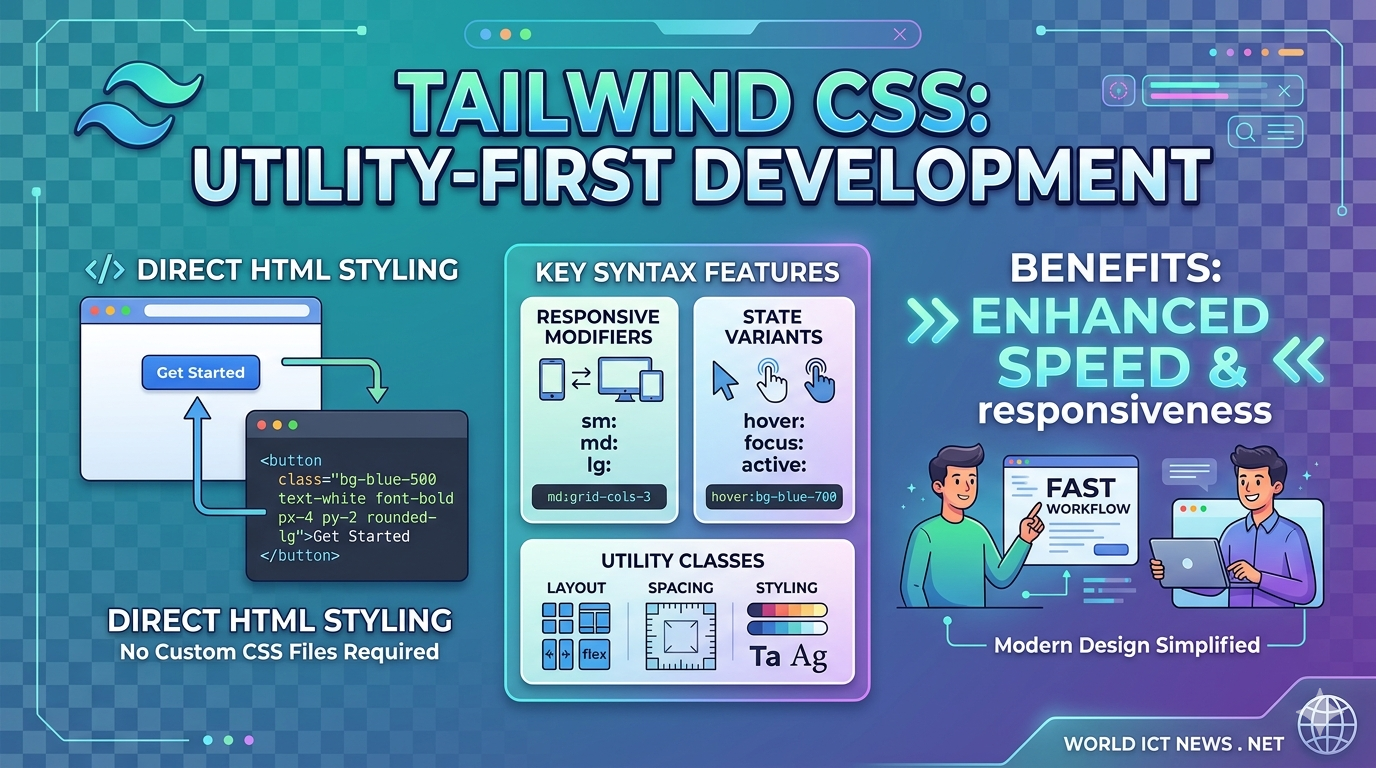
Modern Web Aesthetics: A Guide to Advanced CSS Properties

Mastering Modern Web Aesthetics: A Guide to Advanced CSS Properties
Modern web design demands layouts that are highly responsive, visually stunning, and smooth to navigate. Relying on heavy graphics or complex JavaScript frameworks to achieve advanced visual effects is no longer necessary. Modern CSS provides robust, native properties that optimize browser performance, streamline your codebase, and unlock powerful styling capabilities.
This guide explores advanced CSS features including CSS Grid container queries, advanced blend modes, clip-paths, scroll-driven animations, and the native popover API. We will break down how these properties work and implement them into a cohesive, production-ready portfolio dashboard design.
1. Container Queries: Component-Driven Responsiveness
For years, responsive web design relied heavily on media queries, which evaluate the width of the entire browser viewport. However, modern UI design is component-driven. A card component should adapt its layout based on the size of its parent container, regardless of whether it sits in a wide sidebar or a narrow main content stream.
Container queries solve this issue by allowing elements to respond directly to the dimensions of their parent element.
The CSS Syntax
To use container queries, you must first define a parent element as a containment context using the container-type property.
css
/* Define the parent container */
.card-container {
container-type: inline-size;
container-name: card-grid;
width: 100%;
}
/* Style the child element based on parent dimensions */
@container card-grid (min-width: 450px) {
.product-card {
display: grid;
grid-template-columns: 1fr 2fr;
gap: 1.5rem;
align-items: center;
}
}
Use code with caution.
Key Technical Details
container-type: Can be set toinline-size(evaluates horizontal axis width) orsize(evaluates both horizontal and vertical axes).inline-sizeis most commonly used for layout flexibility.Container Units: Container queries introduce new relative units like
cqw(1% of container width) andcqh(1% of container height), enabling perfectly proportional typography and spacing.
2. Scroll-Driven Animations: High-Performance Interactivity
Historically, creating a scroll-linked animation—such as a reading progress bar or an element that fades in as you scroll—required JavaScript event listeners on the scroll event. This often caused layout thrashing and dropped frames.
Modern CSS introduces native scroll-driven animations that run directly on the browser's compositor thread, ensuring smooth 60fps performance.
The CSS Syntax
By binding a standard CSS @keyframes timeline to a scroll container using scroll-timeline, animations advance based on scroll position rather than elapsed time.
css
/* Define the keyframes */
@keyframes progress-grow {
from { transform: scaleX(0); }
to { transform: scaleX(1); }
}
/* Apply scroll timeline to an element */
.progress-bar {
position: fixed;
top: 0;
left: 0;
width: 100%;
height: 5px;
background: #00ffcc;
transform-origin: left;
/* Link animation to the global scroll posture */
animation: progress-grow auto linear;
animation-timeline: scroll(root);
}
Use code with caution.
Key Technical Details
scroll(root): References the scroll position of the top-level viewport document.view(): An advanced function that triggers animations based on an element's visibility inside the viewport (similar to an Intersection Observer in JavaScript).
3. Dynamic Masking and Clip-Paths
Creating organic, non-rectangular shapes used to require editing vector images in external software. The clip-path and mask-image properties bring precise graphic manipulation directly into the stylesheet.
The CSS Syntax
The clip-path property defines a specific visible region for an element. Everything outside this geometric path is hidden from view.
css
/* Angled geometric header shape */
.hero-header {
background: linear-gradient(135deg, #1e1e2f, #0a0a12);
clip-path: polygon(0 0, 100% 0, 100% 85%, 0 100%);
}
/* Organic circle reveal on hover */
.avatar-card {
clip-path: circle(30% at 50% 50%);
transition: clip-path 0.4s ease-in-out;
}
.avatar-card:hover {
clip-path: circle(75% at 50% 50%);
}
Use code with caution.
Key Technical Details
Interaction: Elements clipped with
clip-pathdo not register pointer events (like clicks or hovers) outside the defined visible boundaries, ensuring clean user interactions.mask-image: Uses an image file or a CSS gradient as a transparency mask. Black pixels render completely opaque, while transparent pixels completely hide underlying content.
4. Advanced Compositing: Blend Modes and Backdrop Filters
Bringing print-quality graphic design depth to the web requires blending overlapping elements seamlessly. The mix-blend-mode and backdrop-filter properties allow background textures and foreground content to interact dynamically.
The CSS Syntax
mix-blend-mode: Blends an element with the content directly behind it.backdrop-filter: Applies graphical effects—like blurring or color shifting—to the area behind an element, creating an organic frosted glass or "glassmorphism" look.
css
/* Glassmorphism card container */
.glass-panel {
background: rgba(255, 255, 255, 0.05);
border: 1px solid rgba(255, 255, 255, 0.1);
border-radius: 16px;
/* Blurs the content behind this panel */
backdrop-filter: blur(12px);
-webkit-backdrop-filter: blur(12px);
}
/* Neon text overlay that blends with any background color */
.neon-title {
color: #00ffcc;
mix-blend-mode: screen;
}
Use code with caution.
5. The Native Popover API: Clean Top-Layer Management
Managing modals, dropdowns, and tooltips safely has always been difficult due to stacking context issues. Elements often get hidden behind parents with strict overflow: hidden or lower z-index values.
The native CSS/HTML Popover API pushes targeted elements directly into the browser's internal top layer. This ensures they render above all other elements on the screen without requiring complex scripting.
The HTML & CSS Syntax
The popover state is handled entirely natively by using the popover attribute and linking it to a trigger button.
html
<!-- Trigger Button -->
<button popovertarget="notification-menu">View Alerts</button>
<!-- Popover Content -->
<div id="notification-menu" popover>
<h3>Notifications</h3>
<p>Your weekly project report is ready.</p>
</div>
Use code with caution.
css
/* Style the popover element in its open state */
#notification-menu[popover] {
border: 1px solid #333;
background: #111;
padding: 1.5rem;
border-radius: 8px;
margin: auto; /* Center alignment */
}
/* Access the native semi-transparent backdrop layer */
#notification-menu::backdrop {
background-color: rgba(0, 0, 0, 0.6);
backdrop-filter: blur(4px);
}
Use code with caution.
Complete Project Sample: Advanced Portfolio Showcase
The following functional codebase bundles these advanced properties together. It creates a sleek, dark-themed portfolio dashboard containing a scroll progress indicator, reactive container query cards, glassmorphic filters, and an overlay alert system.
HTML Structure (index.html)
html
<!DOCTYPE html>
<html lang="en">
<head>
<meta charset="UTF-8">
<meta name="viewport" content="width=device-width, initial-scale=1.0">
<title>Advanced CSS Architecture</title>
<link rel="stylesheet" href="style.css">
</head>
<body>
<!-- Scroll Progress Indicator -->
<div class="scroll-tracker"></div>
<!-- Decorative Clipped Background Graphics -->
<div class="bg-graphic-1"></div>
<div class="bg-graphic-2"></div>
<div class="dashboard-layout">
<!-- Header Block -->
<header class="main-header">
<h1 class="brand-title">CreativeLabs<span>.</span></h1>
<button class="menu-trigger" popovertarget="info-modal">Quick Status</button>
</header>
<!-- Project Presentation Area -->
<main class="content-view">
<section class="intro-card glass-panel">
<h2>Interactive Concept Sandbox</h2>
<p>This workspace showcases high-performance CSS implementations running completely free of heavy JavaScript runtime scripts.</p>
</section>
<!-- Grid Wrapper Context for Container Queries -->
<div class="component-parent-grid">
<!-- Interactive Card 1 -->
<div class="responsive-card-wrapper">
<div class="portfolio-card">
<div class="card-image-box">
<div class="visual-gradient grid-mesh"></div>
</div>
<div class="card-content-box">
<span class="badge">UI Engineering</span>
<h3>Neo-Brutalism Design Patterns</h3>
<p>Exploring high-contrast typography arrangements and hard shadows across modern dynamic dashboard systems.</p>
</div>
</div>
</div>
<!-- Interactive Card 2 -->
<div class="responsive-card-wrapper">
<div class="portfolio-card">
<div class="card-image-box">
<div class="visual-gradient sphere-mesh"></div>
</div>
<div class="card-content-box">
<span class="badge">WebGL Theory</span>
<h3>Raymarching Fragment Shaders</h3>
<p>Compiling highly-optimized graphics routines directly inside web viewports for fluid user interfaces.</p>
</div>
</div>
</div>
</div>
</main>
</div>
<!-- Top-Layer Managed Modal Component -->
<div id="info-modal" popover>
<div class="modal-body">
<h3>System Performance Diagnostic</h3>
<hr>
<ul>
<li>Frame Cadence: <strong>Stable 60 FPS</strong></li>
<li>Memory Cost: <strong>< 1.2 MB</strong></li>
<li>Script Execution: <strong>0ms Idle</strong></li>
</ul>
<button class="close-btn" popovertarget="info-modal" popovertargetaction="hide">Dismiss Panel</button>
</div>
</div>
</body>
</html>
Use code with caution.
CSS Stylesheet (style.css)
css
/* Core Styling Baseline Setup */
:root {
--bg-core: #09090e;
--text-main: #f3f4f6;
--text-muted: #9ca3af;
--accent-neon: #00ffcc;
--accent-purple: #7c3aed;
--glass-layer: rgba(15, 15, 25, 0.4);
--border-glass: rgba(255, 255, 255, 0.08);
}
* {
box-sizing: border-box;
margin: 0;
padding: 0;
}
body {
background-color: var(--bg-core);
color: var(--text-main);
font-family: system-ui, -apple-system, BlinkMacSystemFont, 'Segoe UI', Roboto, sans-serif;
min-height: 150vh; /* Ensures sufficient room to view scroll animations */
overflow-x: hidden;
line-height: 1.6;
}
/* High-Performance Scroll Tracker Timeline */
@keyframes track-horizontal {
from { transform: scaleX(0); }
to { transform: scaleX(1); }
}
.scroll-tracker {
position: fixed;
top: 0;
left: 0;
width: 100%;
height: 4px;
background: linear-gradient(90deg, var(--accent-neon), var(--accent-purple));
transform-origin: left;
z-index: 1000;
animation: track-horizontal auto linear forwards;
animation-timeline: scroll(root);
}
/* Dynamic Geometric Clip Path Background Layers */
.bg-graphic-1 {
position: fixed;
top: -10%;
right: -10%;
width: 50vw;
height: 50vw;
background: linear-gradient(45deg, var(--accent-purple), transparent);
clip-path: polygon(25% 0%, 100% 0%, 75% 100%, 0% 100%);
opacity: 0.15;
pointer-events: none;
}
.bg-graphic-2 {
position: fixed;
bottom: -5%;
left: -5%;
width: 35vw;
height: 35vw;
background: linear-gradient(135deg, var(--accent-neon), transparent);
clip-path: circle(50% at 30% 70%);
opacity: 0.1;
pointer-events: none;
}
/* Grid Layout Shell Configuration */
.dashboard-layout {
max-width: 1200px;
margin: 0 auto;
padding: 2rem 1rem;
}
.main-header {
display: flex;
justify-content: space-between;
align-items: center;
padding-bottom: 2rem;
border-bottom: 1px solid var(--border-glass);
margin-bottom: 3rem;
}
.brand-title {
font-size: 1.75rem;
font-weight: 800;
letter-spacing: -0.05em;
}
.brand-title span {
color: var(--accent-neon);
}
/* Button & Glassmorphism Properties */
.menu-trigger {
background: var(--glass-layer);
color: var(--text-main);
border: 1px solid var(--border-glass);
padding: 0.6rem 1.2rem;
border-radius: 30px;
cursor: pointer;
font-weight: 600;
backdrop-filter: blur(8px);
-webkit-backdrop-filter: blur(8px);
transition: all 0.3s ease;
}
.menu-trigger:hover {
border-color: var(--accent-neon);
box-shadow: 0 0 15px rgba(0, 255, 204, 0.2);
}
.glass-panel {
background: var(--glass-layer);
border: 1px solid var(--border-glass);
backdrop-filter: blur(16px);
-webkit-backdrop-filter: blur(16px);
border-radius: 24px;
padding: 2.5rem;
margin-bottom: 3rem;
}
.intro-card h2 {
font-size: 2.25rem;
margin-bottom: 0.75rem;
letter-spacing: -0.02em;
}
.intro-card p {
color: var(--text-muted);
max-width: 600px;
}
/* Dashboard Core Grid Content Base */
.component-parent-grid {
display: grid;
grid-template-columns: repeat(auto-fit, minmax(320px, 1fr));
gap: 2rem;
}
/* Initialize Component Container Query Rules */
.responsive-card-wrapper {
container-type: inline-size;
width: 100%;
}
/* Default Mobile Portrait Layout */
.portfolio-card {
display: flex;
flex-direction: column;
background: #12121e;
border-radius: 16px;
overflow: hidden;
border: 1px solid rgba(255, 255, 255, 0.04);
height: 100%;
transition: transform 0.3s cubic-bezier(0.16, 1, 0.3, 1);
}
.portfolio-card:hover {
transform: translateY(-6px);
}
.card-image-box {
position: relative;
width: 100%;
height: 200px;
overflow: hidden;
}
.visual-gradient {
width: 100%;
height: 100%;
transition: transform 0.5s ease;
}
.portfolio-card:hover .visual-gradient {
transform: scale(1.08);
}
.grid-mesh {
background: linear-gradient(135deg, var(--accent-purple), #3b82f6);
clip-path: polygon(0 0, 100% 0, 100% 90%, 0 100%);
}
.sphere-mesh {
background: linear-gradient(135deg, #ec4899, var(--accent-purple));
clip-path: ellipse(80% 70% at 50% 20%);
}
.card-content-box {
padding: 1.5rem;
display: flex;
flex-direction: column;
gap: 0.75rem;
}
.badge {
align-self: flex-start;
font-size: 0.75rem;
text-transform: uppercase;
font-weight: 700;
letter-spacing: 0.05em;
color: var(--accent-neon);
background: rgba(0, 255, 204, 0.1);
padding: 0.25rem 0.7rem;
border-radius: 4px;
}
.card-content-box h3 {
font-size: 1.35rem;
line-height: 1.25;
}
.card-content-box p {
color: var(--text-muted);
font-size: 0.95rem;
}
/* Container Query Transformation for Wide Environments */
@container (min-width: 540px) {
.portfolio-card {
display: grid;
grid-template-columns: 200px 1fr;
align-items: stretch;
}
.card-image-box {
height: 100%;
}
.grid-mesh, .sphere-mesh {
clip-path: none; /* Strip out vector masks for widescreen landscape configurations */
}
.card-content-box {
padding: 2rem;
justify-content: center;
}
}
/* Top-Layer Modal Managed via the Popover API */
#info-modal[popover] {
position: fixed;
inset: 0;
margin: auto;
width: min(calc(100% - 2rem), 460px);
height: fit-content;
background: #111118;
border: 1px solid rgba(255, 255, 255, 0.1);
border-radius: 20px;
padding: 2rem;
color: var(--text-main);
box-shadow: 0 25px 50px -12px rgba(0, 0, 0, 0.5);
}
/* Backdrop Filter linked via Open Popover State */
#info-modal::backdrop {
background-color: rgba(4, 4, 8, 0.7);
backdrop-filter: blur(6px);
-webkit-backdrop-filter: blur(6px);
}
.modal-body h3 {
font-size: 1.5rem;
margin-bottom: 0.75rem;
}
.modal-body hr {
border: 0;
height: 1px;
background: rgba(255, 255, 255, 0.1);
margin-bottom: 1.25rem;
}
.modal-body ul {
list-style: none;
display: flex;
flex-direction: column;
gap: 0.75rem;
margin-bottom: 1.75rem;
}
.modal-body li {
font-size: 0.95rem;
display: flex;
justify-content: space-between;
color: var(--text-muted);
}
.modal-body strong {
color: var(--accent-neon);
}
.close-btn {
width: 100%;
background: var(--accent-purple);
color: white;
border: none;
padding: 0.75rem;
border-radius: 10px;
font-weight: 600;
cursor: pointer;
transition: opacity 0.2s ease;
}
.close-btn:hover {
opacity: 0.9;
}
Use code with caution.
6. Layout Mechanics and Performance Optimization
When implementing these advanced features, keep browser rendering efficiency in mind:
Composite Thread Optimization
Properties like transform (used in our scroll tracking timeline) and opacity are processed on the GPU via the compositor thread. This keeps animations running smoothly, even if heavy scripts execution burdens the main browser thread. Avoid animating properties that trigger layout re-calculations, such as width, height, or top.
Stacking Isolation
By utilizing the native Popover API, browsers move active modal code out of standard nested DOM elements and place it into a dedicated internal top-layer stack. This completely eliminates layout bugs caused by parent structural elements applying z-index limits or hiding content via overflow: hidden.
Conclusion
Modern native CSS properties offer unprecedented design power and performance. By replacing heavy external dependencies with features like Container Queries, native Popover APIs, and Scroll-Driven Timelines, you can build fast, visually spectacular user interfaces with minimal code footprints.
Did you find this ICT insight helpful?