The Latest in

ICT Articles & Tutorials

World ICT News is a professional platform dedicated to Artificial Intelligence, Cloud Computing, DevOps, and Cybersecurity. Empowering the next generation of ICT specialists. Our exclusive tutorials and articles are designed to serve as a stepping stone for you into the world of ICT industry...

React Native: The Powerhouse of Modern iOS & Android Engineering
Jun 10, 2026
6 min read

React Native: The Powerhouse of Modern iOS & Android Engineering

React Native: The Cross-Platform Powerhouse of Modern iOS and Android Engineering. For years, the mobile application development sector was defined by a strict, resource-heavy division. If an enterprise wanted to build a premium mobile application, they had to fund, manage, and synchronize two completely separate engineering tracks. On one side stood native iOS development, utilizing Swift or Objective-C within Xcode; on the other stood native Android development, relying on Java or Kotlin inside Android Studio.This duplicate workflow frequently introduced major bottlenecks: user interfaces looked inconsistent across platforms, business logic had to be written twice, and rollout schedules lagged as teams worked to iron out platform-specific bugs.The arrival of React Native fundamentally changed this landscape.Created by Meta (formerly Facebook), React Native has evolved into the industry’s leading cross-platform mobile framework. It allows engineers to write code once in JavaScript and React, then deploy truly native applications simultaneously to iOS and Android. This article provides an in-depth look at React Native's core architecture, examines its UI design system, and explains why it remains an essential tool for enterprise-grade mobile engineering.The Evolution of Cross-Platform ArchitectureTo understand why React Native is a powerhouse, it is important to distinguish it from the older, web-based hybrid frameworks that preceded it, such as Cordova or PhoneGap.HYBRID WEB APPROACH (Legacy)[JavaScript App] ──► [WebView Container (Browser)] ──► [DOM Elements](Result: Sluggish performance, clunky web-like feel)REACT NATIVE DIRECT INTERACTION ARCHITECTURE (Modern)[React / JS Code] ──► [High-Speed Architecture Bridge] ──► [Real iOS/Android UI Components](Result: Native speed, authentic operating system responsiveness)1. The Trap of Legacy Hybrid WebViewsEarly hybrid frameworks simply wrapped standard HTML5, CSS, and JavaScript inside an isolated mobile browser instance called a WebView. The application wasn't actually native; it was a website masquerading as an app. This approach consistently struggled with sluggish animations, high memory consumption, and a user experience that felt noticeably out of place on mobile devices.2. Truly Native RenderingReact Native approaches the problem differently. It does not render HTML elements. Instead, it invokes the actual, native UI building blocks of the host operating system.When you create a component using React Native’s <View> or <Text> tags, the framework instructs the underlying mobile OS to generate a genuine iOS UIView or an Android android.view.View. This ensures that your application looks, feels, and performs exactly like a software asset built using native platform code.The Core Tech: The JavaScript Bridge vs. JSIThe magic of React Native relies on how it connects the JavaScript engine with the native operating system layers.┌───┐│ THE NEW ARCHITECTURE GRID │├──┬─┤│ LEGACY BRIDGE SYSTEM │ NEW JSI ARCHITECTURE │├─┼──┤│ • Asynchronous JSON │ • Direct C++ Invocation ││ • Serialization Overhead │ • Zero Bridge Bottlenecks ││ • Periodic Frame Drops │ • Synchronous UI Execution │└─┴──┘1. The Legacy Bridge ModelHistorically, React Native used an asynchronous "Bridge" system. The JavaScript code ran in its own background engine (JavaScriptCore), and whenever it needed to update the UI or access a phone sensor, it bundled those instructions into a JSON message. This message was serialized, sent across the bridge, deserialized by the native side, and then executed. While effective, heavy data traffic—such as rapid scrolling through thousands of media feeds—could bottleneck the bridge, causing occasional frame drops.2. The New Architecture and JSI (JavaScript Interface)React Native has transitioned to a new underlying core engine driven by the JavaScript Interface (JSI). JSI removes the asynchronous JSON bridge entirely.Written in highly optimized C++, JSI allows the JavaScript engine to hold a direct, synchronous reference to native host objects. JavaScript can now invoke native methods instantly, much like a standard function call. This architecture upgrade gives React Native apps the raw processing speeds required to handle complex fluid animations, heavy gesture tracking, and real-time data streaming without lagging.Designing Premium Interfaces with React NativeA key reason React Native is a design powerhouse is its ability to balance cross-platform efficiency with platform-specific design systems. ┌──┐ │ THE FLEXIBLE DESIGN STACK │ └─┬──┘ │ ┌──┴──┐ ▼ ▼┌───┐ ┌────┐│ UNIFIED FLEXBOX LAYOUT │ │ PLATFORM SPECIFIC CODES │├──┤ ├───┤│ • Cross-platform flex │ │ • Platform.OS selection ││ • Pixel-independent dips │ │ • Native design patterns │└──┘ └──┘1. Unified Flexbox Layout EngineReact Native adopts the web’s Flexbox layout paradigm for layout design, adapting it into a highly predictable, pixel-independent positioning engine.By utilizing density-independent pixels (dips), layouts scale automatically across thousands of different screen dimensions, pixel densities, and aspect ratios—from small iPhone SE screens to expansive flagship Android tablets.2. Platform-Specific Design CustomizationWhile sharing a single codebase is efficient, forcing an identical UI on iOS and Android can frustrate users. iOS users expect clean, minimalist lines and subtle swipe-to-back animations (Human Interface Guidelines), while Android users look for the tactile depth, floating buttons, and ripple effects of Material Design.React Native solves this design challenge through the Platform module and platform-specific file extensions:javascriptimport { Platform, StyleSheet } from 'react-native';const styles = StyleSheet.create({ container: { flex: 1, ...Platform.select({ ios: { backgroundColor: '#F3F3F3', shadowColor: '#000', shadowOpacity: 0.1, }, android: { backgroundColor: '#FFFFFF', elevation: 4, // Uses Android's native elevation shadow engine }, }), },});Use code with caution.By leveraging Platform.select or splitting components into Button.ios.js and Button.android.js, developers can share up to 90% of their core application logic while still tailoring the visual interface to match the expectations of each platform.The Enterprise Value PropositionBeyond its technical architecture, React Native delivers clear business advantages that have led companies like Airbnb, Uber, Shopify, and Coinbase to adopt it for their primary mobile products.Hot Reloading / Fast Refresh: In native development, modifying a single text color forces engineers to recompile the entire project, which stalls momentum. React Native's Fast Refresh lets developers save a file and see the visual updates appear on a test device in under a second, preserving the application's current state and accelerating the design loop.Drastically Reduced Time-to-Market: Because a single product team can build for both iOS and Android simultaneously, feature development pipelines are cut in half. Marketing launches, feature updates, and emergency patches can be deployed at the exact same moment on both app stores.Code Push Integration: Using Microsoft's CodePush technology, React Native applications can deploy minor JavaScript and asset updates directly to users over-the-air (OTA), bypassing the standard multi-day app store review queues.Conclusion: The Ultimate Mobile StrategyReact Native has successfully bridged the gap between development speed and native execution quality. By pairing the flexibility of React with the raw performance of JSI and native OS rendering, it provides engineers with a highly scalable framework for building modern mobile applications. For companies looking to build a high-performance, beautiful app without funding two separate engineering tracks, React Native remains a definitive powerhouse in mobile design.
 How UAPs, the USA, and Alien Tech Could Spark the Next Industrial Revolution
Jun 10, 2026
9 min read

How UAPs, the USA, and Alien Tech Could Spark the Next Industrial Revolution

The Cosmic Assembly Line: How UAPs, the USA, and Alien Tech Could Spark the Next Industrial Revolution. For generations, the conversation surrounding Unidentified Anomalous Phenomena (UAPs)—historically known as UFOs—and extraterrestrial life was confined to the fringes of science fiction and late-night conspiracy radio. However, a historic paradigm shift has unfolded. What was once dismissed as folklore has entered the halls of the United States Congress, intelligence agencies, and elite scientific institutions.The debate is no longer just about whether "we are alone." Instead, it centers on a far more disruptive question: If the United States government or private aerospace entities possess non-human technology, how will it reshape human civilization?Historically, every industrial revolution has been triggered by the mastery of a new energy source or thermodynamic mechanism. The First Industrial Revolution was born of coal and steam; the Second, of electricity and oil; the Third, of silicon and computing; and the Fourth, of automation, AI, and biotechnology. If the exotic physical properties observed in UAPs can be reverse-engineered, humanity stands on the precipice of a Fifth Industrial Revolution—one driven by quantum propulsion, limitless zero-point energy, and trans-medium materials.Part I: The United States and the Declassification CascadeTo understand how alien technology could dictate the future of global industry, one must first look at the epicenter of UAP disclosure: the United States.[1947: Roswell Era] ──> [2017: NYT ATIP Leak] ──> [2023: Congressional Hearings] ──> [Present: Institutionalization]For decades, the official stance of the U.S. government was one of total denial. This wall of secrecy began to fracture in December 2017, when The New York Times exposed the existence of the Pentagon’s Advanced Aerospace Threat Identification Program (AATIP), accompanied by declassified infrared videos of naval pilots encountering "Tic-Tac" shaped objects. These objects exhibited physics-defying capabilities: instantaneous acceleration, hypersonic speed without sonic booms, and the ability to transition seamlessly between space, air, and water (trans-medium travel).The turning point occurred during sworn congressional testimony by highly decorated former intelligence officer David Grusch. Grusch alleged that the U.S. executive branch and private defense contractors had spent decades operating a covert, multi-decade UAP crash-retrieval and reverse-engineering program.The institutional response was swift. The U.S. House of Representatives formed bipartisan oversight committees, passing the UAP Disclosure Act components into the National Defense Authorization Act (NDAA). NASA established an independent UAP study team, and the Pentagon formed the All-domain Anomaly Resolution Office (AARO). UFOs were officially rebranded as UAPs, transitioning from a cultural joke to a matter of national security and aerospace safety.The primary geopolitical driver for this sudden transparency is a fear of technological surprise. If the United States possesses craft or materials of non-human origin, it is highly probable that geopolitical rivals like China and Russia are pursuing similar retrieval operations. The nation that first unlocks the operational physics of these anomalies will achieve absolute technological and industrial hegemony over the planet.Part II: The Physics of the "Five Observables"To project how this technology will fuel a future industrial revolution, we must analyze the specific mechanical anomalies documented by military sensors. The Pentagon characterizes UAPs using five distinct behaviors, known as the "Five Observables":Anti-Gravity Lift: Craft hovering effortlessly without wings, rotors, or visible thermal exhaust signatures.Sudden and Instantaneous Acceleration: Objects accelerating from a dead stop to Mach 20+ without crushing pilots or tearing apart under extreme G-forces.Hypersonic Velocity without Signatures: Traveling at extreme speeds through the atmosphere without generating sonic booms or friction-induced thermal tracks.Trans-Medium Travel: Moving interchangeably through space, air, and oceans without losing velocity or experiencing hydrodynamic drag.Low Observability: Evading radar tracking, infrared targeting, and visual sight lines via active camouflage or optical bending. [UAP METAMATERIAL CORE] │ ┌───┴───┐ ▼ ▼[Gravitational Wave Field] [Plasma Engineering] │ │ ├─► Inertia Cancellation ├─► Zero Friction └─► Spacetime Warping └─► Trans-Medium FlightThese capabilities violate our current understanding of classical thermodynamics and material science. To achieve these feats, a craft cannot rely on chemical combustion. Instead, it must manipulate the fabric of spacetime or utilize advanced plasma engineering.For instance, if a craft can generate a localized gravitational field or cancel its own mass (inertia cancellation), it would not experience the laws of friction or inertia. Inside this localized "bubble," a payload or pilot would experience zero Gs during a sharp 90-degree turn at supersonic speed, because the space surrounding the craft moves with it.Part III: Blueprint for the Fifth Industrial RevolutionThe commercialization of non-human physics would alter the structure of global markets, rendering fossil fuels, traditional logistics, and conventional metallurgy obsolete.┌────┐│ THE FIFTH INDUSTRIAL REVOLUTION │├──┬───┬──┤│ ENERGY │ PROPULSION │ MATERIALS │├──┼──┼──┤│ • Zero-Point │ • Gravitational │ • Metamaterials││ • Fusion Cores │ • Mass-Cancelled │ • Atomic Mesh ││ • Gridless Power │ • Interplanetary │ • Auto-Healing │└──┴───┴────┘1. The Energy Paradigm: The Death of ScarcityEvery factory, cargo ship, and data center on Earth is bound by the cost of electricity and fuel. UAPs operate on self-contained, long-duration power sources that generate gigawatts of energy without emission or refueling.If human engineers unlock this power source—whether it relies on controlled cold fusion, element-stable antimatter, or tapping into quantum vacuum fluctuations (zero-point energy)—the global energy crisis ends overnight.Industrial Impact: Desalination plants could run continuously for pennies, turning deserts into arable land. Heavy manufacturing, chemical synthesis, and vertical farming would face near-zero operational energy costs, decoupling economic growth from ecological degradation.2. Advanced Logistics and Trans-Medium Supply ChainsThe global economy is built on shipping lanes, rail networks, and air freight. A trans-medium propulsion system renders geographic barriers irrelevant.Industrial Impact: A cargo ship moving across the Atlantic at 20 knots would be replaced by sub-orbital, heavy-lift transport containers capable of moving freight from Lagos to New York in under ten minutes. By eliminating friction, heat signatures, and aerodynamic drag, transportation costs plummet to near zero. Supply chains would shift from localized or regional setups to an instantaneous planetary web.3. Metamaterials and Atomic EngineeringAnalysis of alleged UAP fragments recovered by the U.S. government reveals highly complex, layered metamaterials. These are substances engineered at the atomic scale with structures not found in nature, such as alternating micro-layers of bismuth, magnesium, and zinc.Industrial Impact: These materials act as waveguides for electromagnetic energy, allowing for super-conductivity at room temperature and the redirection of gravitational waves. The future of manufacturing will transition from raw chemical processing to atomic-level printing. We will manufacture metals that are lighter than plastic yet stronger than titanium, capable of healing their own structural fractures under stress.4. The Deep Space Industrial SectorHumanity’s current space industry is bottle-necked by the high cost of chemical rockets. Escaping Earth’s gravity well requires millions of gallons of volatile fuel to lift modest payloads.Industrial Impact: With anti-gravity or mass-canceling propulsion, leaving Earth's atmosphere becomes as routine as driving a car. This triggers the expansion of off-world mining operations. The asteroid belt, rich in platinum, gold, cobalt, and rare earth elements, becomes accessible. Rather than damaging Earth's ecosystems via open-pit mining, heavy extraction industries will shift entirely into deep space, transforming Earth into a protected residential and ecological zone.Part IV: The Geopolitical and Economic Friction of DisclosureWhile the technological benefits of an alien-tech-driven industrial revolution are immense, the transition would be highly volatile. A sudden injection of paradigm-shattering technology into a fragile global economy would trigger massive institutional friction.[Technology Injection] ──► [Fossil Fuel Collapse] ──► [Geopolitical Power Shift] ──► [Market Re-Stabilization]The Petrodollar and Financial System CollapseThe current geopolitical order is underpinned by the energy sector. Trillions of dollars in banking infrastructure, sovereign wealth funds, and national economies are tied directly to oil, natural gas, and coal. If a clean, self-contained energy alternative derived from UAP technology is made public, the fossil fuel industry would face immediate obsolescence. Whole nations whose economies rely on oil exports could face financial collapse, destabilizing global financial markets and fiat currencies.Intellectual Property and Corporate MonopoliesA hidden battle is playing out between the U.S. Department of Defense and private defense contractors (such as Lockheed Martin, Northrop Grumman, and Raytheon). Historically, legacy aerospace firms were given access to recovered UAP materials under strict "Need-to-Know" classifications to prevent foreign espionage.If this technology is commercialized, who owns the patents? If a single defense contractor holds a patent on a room-temperature superconductor or a gravity-distortion drive, they would instantly become more powerful than most sovereign governments, creating an unprecedented corporate monopoly.The Weaponization RiskThe industrial capabilities required to build a trans-medium propulsion drive are identical to those required to build a weapon of absolute destruction. An object capable of moving at Mach 20 and shifting instantly without mass can be weaponized as a kinetic missile against which there is no defense. The United States government faces a profound dilemma: Disclosing the technology to accelerate the industrial revolution also risks proliferating blueprints for weapons capable of vaporizing entire cities with zero warning.Conclusion: Preparing for the Post-Disclosure EconomyThe intersection of UAPs, the United States' shifting policy toward transparency, and the future of production indicates that humanity is approaching a defining threshold. The Fourth Industrial Revolution, with its focus on artificial intelligence, may simply serve as the foundational infrastructure required to manage the massive data streams and complex engineering matrix of the Fifth.To navigate this transition without societal collapse, the United States and the broader global community must design open-source, international frameworks for the study of anomalous materials. Shifting this research out of compartmentalized, military black-budgets and into public academia will ensure that the resulting industrial benefits are democratized rather than hoarded by military-industrial monopolies.The future of industry is not merely about optimizing our current tools; it is about rewriting our relationship with energy, gravity, and space. As the veil of secrecy continues to lift in Washington, humanity must prepare for a marketplace that extends far beyond the confines of Earth. The cosmic assembly line is opening, and the societies that adapt to its physics will shape the next millennium of human history.
Responsive Interfaces: An Introduction to the Bootstrap CSS Framework
Jun 09, 2026
8 min read

Responsive Interfaces: An Introduction to the Bootstrap CSS Framework

Crafting Responsive Interfaces: An Introduction to the Bootstrap CSS Framework. In the early days of web development, building a website that looked good on both a desktop monitor and a mobile phone required writing massive, complex style sheets from scratch. Developers spent countless hours wrestling with CSS floats, media queries, and browser compatibility bugs just to align a basic navigation bar or button grid.This landscape shifted dramatically in August 2011 when Mark Otto and Jacob Thornton, two developers at Twitter, released Bootstrap as an open-source project. Originally designed as an internal tool to ensure design consistency across Twitter’s corporate applications, Bootstrap quickly grew into the most popular front-end framework in the world.Today, Bootstrap serves as the foundation for millions of websites. This introduction will explore what Bootstrap is, look at its core architecture, examine its powerful grid system, and show you how to build modern web interfaces using this open-source tool.1. What is Bootstrap?At its core, Bootstrap is a free, open-source front-end framework consisting of pre-compiled CSS and JavaScript templates. It provides web developers with an extensive kit of ready-to-use user interface (UI) components—such as buttons, forms, navigation bars, cards, modal windows, and carousels.+-------------------------------------------------------------+| BOOTSTRAP ENGINE |+-------------------------------------------------------------+ | | | v v v[ Responsive Grid ] [ Pre-built UI Components ] [ Utility Classes ]- Flexbox-based - Navbar, Cards, Buttons - Spacing (m-3, p-2)- 12-column layout - Modals & Dropdowns - Typography & ColorsInstead of writing custom CSS rules to style a webpage from scratch, developers simply download Bootstrap and apply pre-defined class names to standard HTML elements.Why Use a CSS Framework?Rapid Development Speed: Instead of designing a polished button or navigation bar layout from the ground up, you can build a complete, production-ready prototype in minutes using Bootstrap's components.Responsive Design by Default: Every element within Bootstrap is built with mobile responsiveness in mind. Your website automatically scales down for smartphones, layout structures shift for tablets, and columns expand gracefully on high-resolution monitors.Cross-Browser Consistency: Different web browsers (Chrome, Safari, Firefox, Edge) occasionally render raw CSS properties differently. Bootstrap includes a CSS normalization baseline called Reboot that smooths over these browser inconsistencies, ensuring your application looks uniform everywhere.Massive Community Ecosystem: Because Bootstrap is so widely adopted, finding templates, tutorials, and third-party plugins is effortless.2. Core Architecture and Mobile-First PhilosophyUnderstanding Bootstrap requires embracing a mobile-first design philosophy. In older web design models, developers built a comprehensive desktop site first, then used media queries to hide or compress elements for smaller screens.Bootstrap flips this approach upside down. Its styles are written for the smallest screens first (smartphones), and then progressively enhanced for larger screen viewports using minimum-width (min-width) media queries. This logic optimizes mobile performance by preventing smaller devices from processing bulky desktop-centric styles.The Breakpoints BlueprintBootstrap segments different device screen widths into logical brackets called breakpoints. These breakpoints correspond to standard device viewports and are controlled by shorthand class modifiers:BreakpointClass AbbreviationDimensionsTarget DeviceExtra SmallNone< 576pxPortrait SmartphonesSmallsm≥ 576pxLandscape SmartphonesMediummd≥ 768pxTabletsLargelg≥ 992pxLaptops / Smaller MonitorsExtra Largexl≥ 1200pxDesktop MonitorsExtra Extra Largexxl≥ 1400pxUltra-wide Displays3. The Heart of Bootstrap: The 12-Column Grid SystemThe single most powerful feature of Bootstrap is its responsive grid system. Built on top of CSS Flexbox layout logic, the grid uses a series of containers, rows, and columns to align content.The system divides the horizontal width of a webpage into 12 equal, invisible columns. Developers choose how many of these columns a specific element should occupy.+-----------------------------------------------------------------------+| .container || +-----------------------------------------------------------------+ || | .row | || | +---------------+ +---------------+ +---------------+ | || | | .col-md-4 | | .col-md-4 | | .col-md-4 | | || | | (Takes 4 cols)| | (Takes 4 cols)| | (Takes 4 cols)| | || | +---------------+ +---------------+ +---------------+ | || +-----------------------------------------------------------------+ |+-----------------------------------------------------------------------+The Grid Components1. Containers (.container or .container-fluid)Containers are the outer structural walls of your layout. A regular .container centers your content on the page and applies fixed widths based on the active breakpoint. A .container-fluid spans the full width of the screen, edge to edge.2. Rows (.row)Rows act as horizontal wrappers that sit inside containers. Rows ensure that your individual columns stack neatly next to each other.3. Columns (.col-*)Columns are where your actual text, images, and components live. Columns must always be direct children of a .row.A Practical Grid Layout ExampleConsider a scenario where you want to display three feature boxes side-by-side on a desktop computer, but you want them to stack on top of each other when viewed on a phone. The HTML code looks like this:html<div class="container"> <div class="row"> <div class="col-12 col-md-4"> <h3>Feature A</h3> <p>This is the first feature box description.</p> </div> <div class="col-12 col-md-4"> <h3>Feature B</h3> <p>This is the second feature box description.</p> </div> <div class="col-12 col-md-4"> <h3>Feature C</h3> <p>This is the third feature box description.</p> </div> </div></div>Use code with caution.Deconstructing the Codecol-12: By default, on mobile screens (extra-small viewports), each box will take up all 12 available columns, forcing them to stack vertically.col-md-4: When the viewport expands to a medium screen size (tablets and laptops, ≥ 768px), the layout switches engine rules. Each box now takes up exactly 4 columns. Because 4 + 4 + 4 = 12, all three feature boxes align side-by-side across a single row.4. Exploring Essential ComponentsBootstrap includes dozens of pre-designed interface modules. By leaning on these components, you don't have to spend hours writing custom styles for common web UI features.Navigation Bars (.navbar)The navigation bar is a staple of modern web design. Bootstrap's navbar component includes automated mobile collapse logic out of the box. On desktop viewports, it displays a standard horizontal navigation bar with links and dropdowns. On a smartphone screen, it automatically collapses behind a standard "hamburger" icon menu, expanding smoothly when tapped.Cards (.card)Cards serve as clean, flexible data containers. They group related information together by combining headers, text, contextual buttons, and cover images inside a cleanly bordered box. Cards are widely used to display blog article loops, e-commerce product grids, or profile dashboards.html<div class="card" style="width: 18rem;"> <img src="product.jpg" class="card-img-top" alt="Product Image"> <div class="card-body"> <h5 class="card-title">E-Commerce Product</h5> <p class="card-text">A high-quality product description paragraph goes here.</p> <a href="#" class="btn btn-primary">Buy Now</a> </div></div>Use code with caution.Utility ClassesIn addition to large components, Bootstrap provides thousands of tiny, single-purpose helper styles called Utility Classes. These let you adjust padding, margins, colors, and borders instantly without writing a single line of custom CSS.m-3 / p-2: Applies an all-around margin level of 3 or padding level of 2.text-center: Automatically shifts your text alignment to the center.bg-dark text-white: Inverts an element into a dark-themed container with white text.5. Integrating Bootstrap into a ProjectThere are two primary ways to add Bootstrap to a web development project.Approach 1: Using a Content Delivery Network (CDN) - Quickest MethodIf you are building a simple website or a quick prototype, you can link to Bootstrap’s files directly from a public server by adding two lines of code to your HTML file:html<!DOCTYPE html><html lang="en"><head> <meta charset="UTF-8"> <meta name="viewport" content="width=device-width, initial-scale=1.0"> <title>Bootstrap Quickstart</title> <!-- Bootstrap Compiled CSS Link --> <link href="https://jsdelivr.net" rel="stylesheet"></head><body> <div class="container mt-5"> <h1 class="text-primary">Hello, Bootstrap!</h1> <button class="btn btn-success">Success Button</button> </div> <!-- Bootstrap JS Bundle Link (Includes Popper.js for dropdowns/modals) --> <script src="https://jsdelivr.net"></script></body></html>Use code with caution.Approach 2: Using a Package Manager (NPM) - Professional MethodFor large, enterprise-level web applications, developers install Bootstrap directly into their project environment via terminal package managers:bashnpm install bootstrap Use code with caution.This local installation allows developers to open Bootstrap’s source Sass files, modify global theme colors (such as changing the default blue brand color to a custom corporate green), and strip out unused modules to make production bundle file sizes as light as possible.6. ConclusionBootstrap revolutionized front-end web development by proving that responsive, consistent UI design doesn't require reinventing the wheel for every new project. By offering a robust 12-column flexbox grid, an extensive library of accessible UI components, and intuitive utility helper classes, it empowers developers to build production-ready applications with remarkable speed.While modern CSS advancements like native Grid and Flexbox give developers more layout control than ever before, Bootstrap remains a valuable asset for quick prototyping, building internal corporate tools, and providing an organized design system for large dev teams.
CloseDealsNG.com: Smart Point-of-Sale and Inventory Automation
Jun 08, 2026
9 min read

CloseDealsNG.com: Smart Point-of-Sale and Inventory Automation

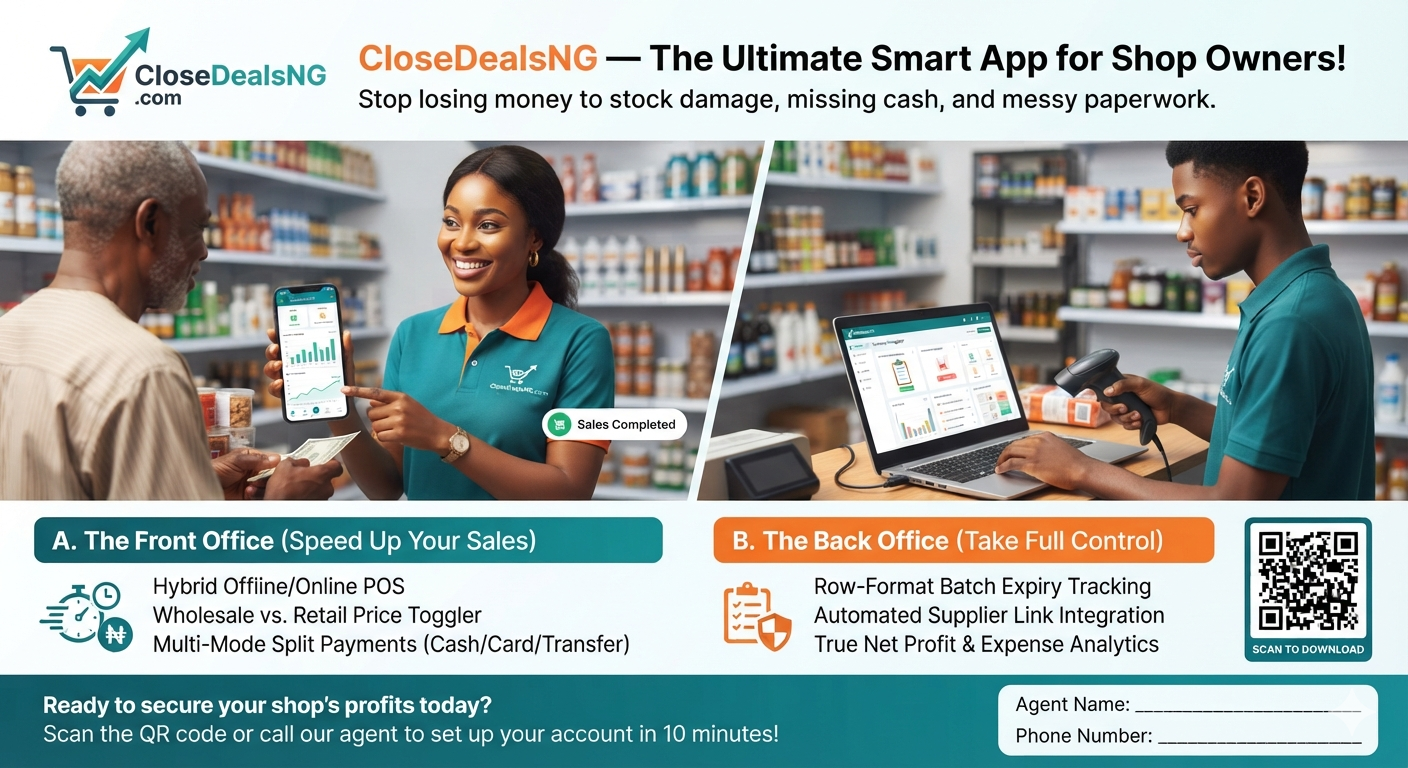
Streamlining Retail Operations: How CloseDealsNG.com Empowers Businesses with Smart Point-of-Sale and Inventory Automation. Managing a retail, wholesale, or multi-location business in today's fast-paced market requires more than just a traditional paper ledger or a basic calculator. Business owners face daily challenges tracking inventory, managing credit sales, overseeing staff across different branches, and maintaining consistent communication with customers. Without centralized control, stock disappears, debt tracking becomes messy, and scaling the business becomes nearly impossible.CloseDealsNG.com is a powerful cloud-based retail management platform and Point-of-Sale (POS) ecosystem designed to solve these exact operational challenges. Built specifically to handle modern commerce workflows, the platform combines inventory management, multi-cashier tracking, debt monitoring, automated billing, and a multi-tier affiliate system into a single, cohesive dashboard.The following sections explore the functional capabilities of CloseDealsNG.com and demonstrate how this platform acts as an operating system for growing businesses.1. Centralised Inventory and Digital Product LoggingAt the heart of the platform is a structured Inventory Log Module that replaces manual stock-taking.[ Product Logging ] ---> [ Central Database ] ---> [ Real-time Availability ]Structured Data EntryShop owners can log products into their secure digital database, capturing critical item details:Stock keeping unit (SKU) attributesCost prices and final selling marginsVariations or product categoriesAutomated Stock AdjustmentsThis layout eliminates blind spots in inventory tracking. When goods arrive, they are instantly recorded in the system. This creates a single source of truth for your stock, protecting your business from manual calculation errors, product loss, and unexplained stock shortages.2. Dynamic Sales Consoles with Live Database IntegrationThe point of transaction is managed by an interactive, database-driven Featured Sales Console. This module serves as the primary workspace for cashiers during checkout.Real-Time Database SyncWhen a cashier selects an item during a live sale, the console pulls current pricing and availability directly from your database.Automated MathAs soon as the transaction is completed, the system automatically subtracts the exact quantity sold from your total stock. This live updates your inventory balances without requiring manual entry or end-of-day stock counts.Overselling ProtectionBy automating stock adjustments at the point of sale, the platform prevents overselling. Owners can monitor exact stock levels in real time from any location, making inventory management efficient and accurate.3. Automated Receipt Generation and Branding ToolsProfessional documentation builds customer trust. CloseDealsNG.com features a built-in Automated Receipt Generator that triggers immediately after every finalized transaction.+------+| CLOSEDEALSNG SHOP || 123 Business Road, Lagos, Nigeria || Tel: +234 800 000 0000 |+---------+| Qty Item Description Price Total || 2 Product Alpha N5,000 N10,000 || 1 Product Beta N3,000 N3,000 |+---------+| Subtotal: N13,000 || VAT (7.5%): N975 || TOTAL PAID: N13,975 |+------------+| Thank you for your business! |+------------+Custom Shop DetailsEvery receipt is automatically customized with the merchant’s specific business metadata, including:Registered business or shop namePhysical store address and contact numbersCustomized footer messages or terms of servicePaperless OptionsThese digital receipts can be printed immediately via thermal point-of-sale printers or issued digitally. This professional touch improves your brand image, guarantees transaction transparency, and gives customers clear, auditable proof of purchase.4. Integrated Debtor Registration During CheckoutIn many retail landscapes, offering customer credit is an essential part of doing business. However, keeping track of who owes what on loose slips of paper often leads to unrecovered losses. CloseDealsNG.com addresses this by embedding a Debtor Recording Framework directly into the checkout workflow.If a customer cannot pay the full amount during checkout, the cashier can flag the transaction as a credit sale. The system records the buyer's details and links the unpaid or partially paid balance directly to their profile.This ensures that partial payments and outstanding accounts are locked into the system at the exact moment of sale, keeping your cash flow records accurate and preventing debt tracking from falling through the cracks.5. Automated WhatsApp Invoice and Receipt DeliveryModern businesses need to meet customers where they already are. CloseDealsNG.com integrates directly with communication infrastructure to offer Automated WhatsApp Invoice Delivery.When a customer provides their phone number during checkout, the platform compiles the transaction details and sends a formatted invoice or receipt directly to their WhatsApp account.[ Transaction Finalized ] ---> [ Trigger API Link ] ---> [ WhatsApp Invoice Received ]This feature provides significant operational advantages:Reduces Paper Costs: Minimizes the need for expensive thermal paper rolls.Instant Customer Record: Gives buyers an immediate, un-losable digital copy of their order history.Direct Communication Open: Establishes a direct, conversational communication line between the shop owner and the client for future marketing or follow-up.6. Multi-Location Multi-Cashier Management ArchitectureFor growing businesses, managing multiple storefronts or branches is a significant challenge. CloseDealsNG.com solves this with a Distributed Cashier Allocation Engine that allows shop owners to manage multiple employees across different physical locations from a single admin account.Owners can create unique login profiles for multiple cashiers. Whether an employee is working at a counter in Lagos, a warehouse in Abuja, or a market stall in Port Harcourt, their individual sales activities flow back to the owner's central dashboard.This multi-tenant setup lets you expand your business footprint without losing oversight, giving you full control over your entire retail network.7. Dynamic VAT Calculator TogglerTax compliance and accurate pricing structures are essential for modern business accounting. The platform includes a built-in VAT Calculator Toggler to simplify tax collection.[ VAT Toggler: OFF ] ---> Core Item Price Only (e.g., N10,000)[ VAT Toggler: ON ] ---> Automated 7.5% Computation (e.g., N10,000 + N750 VAT = N10,750 Total)With a single click, shop owners can turn VAT tracking on or off. When activated, the system automatically calculates the current Value Added Tax (VAT) rate on each item at checkout, adding it to the subtotal and displaying it clearly on the receipt.This automation keeps your business compliant with local tax regulations, removes the need for manual tax calculations, and ensures your financial reporting is accurate and audit-ready.8. Affiliate Marketing Panel with 20% Recurring CommissionTo drive organic growth, CloseDealsNG.com features an integrated Marketer Commission Panel. This affiliate module provides an attractive source of passive income for independent marketers and growth partners.When an individual registers as an affiliate marketer on the platform, they receive a unique tracking link. For every new shop owner they refer who joins the platform, the marketer earns a 20% commission every time that shop owner renews their monthly or annual software subscription.This recurring revenue model creates a win-win system: it helps CloseDealsNG.com expand its community while rewarding marketers with a steady income for introducing businesses to modern automation tools.9. Scalable Subscription Tiers Designed for Every Business SizeCloseDealsNG.com scales alongside your business. The platform offers three distinct subscription tiers tailored to different stages of business growth, ensuring you only pay for the features and capacity you actually need.+-----------------------------------------------------------------------+| SUBSCRIPTION TIERS |+-----------------------------------------------------------------------+| TIER 1 (Micro-Retail) || • Price: 3,000 Naira / Month || • Capacity: 1 Cashier Profile | Maximum 10 Active Products |+-----------------------------------------------------------------------+| TIER 2 (Growing Enterprise) || • Price: 8,000 Naira / Month || • Capacity: 4 Cashier Profiles | Maximum 20 Active Products |+-----------------------------------------------------------------------+| TIER 3 (High-Volume Hub) || • Price: 15,000 Naira / Month || • Capacity: 15 Cashier Profiles | Maximum 50 Active Products |+-----------------------------------------------------------------------+This tiered model makes business automation accessible to everyone. Micro-retailers can start with Tier 1 to organize their initial inventory, while larger, multi-branch businesses can deploy Tier 3 to manage a large workforce and complex distribution setups.10. Centralized Customer and Debtor Management LedgerTo protect your cash flow and keep customer relationships healthy, the platform provides a dedicated Customer Profile and Debt Tracking Ledger.This administrative dashboard gives shop owners a clear view of all credit customers. Instead of searching through old notebooks, owners can open this ledger to view comprehensive debtor profiles, outstanding balances, and transaction dates.When a customer makes a payment, the owner can easily log the amount to update or clear the debt. This structured approach helps speed up collections, prevents disputes, and protects your business's financial health.11. Granular Access Control and Cashier Permission TogglersSecurity is a top priority when delegating tasks to employees. CloseDealsNG.com includes a Cashier Access Permission Toggler to help owners safeguard their business operations.This security feature allows owners to control exactly what their staff can see and do on the platform. With simple dashboard toggles, owners can activate or restrict access to the sales console for individual employees.This access control prevents unauthorized staff from modifying transactions, viewing confidential financial reports, or altering inventory logs, giving you complete peace of mind while delegating daily operations.Technical Summary of Platform FeaturesFunctional Feature ModulePrimary Operational BenefitUser Access TargetInventory Logging ModuleEliminates product shrinkage and tracking errors.Shop Owner / AdminFeatured Sales ConsoleAutomatically adjusts stock balances in real time at checkout.Cashier ProfileAutomated Receipt EngineGenerates branded receipts instantly to build customer trust.End Customer / StaffDebtor Tracking CheckoutRecords outstanding customer credit at the point of sale.Cashier ProfileWhatsApp Invoice GatewayDelivers digital receipts directly to the customer's phone.End Customer GatewayMulti-Location InfrastructureManages multiple employees and branches from one dashboard.Distributed WorkforceVAT Calculator TogglerAutomates tax calculations to simplify accounting.Checkout ModuleMarketer Commission PanelOffers a 20% recurring commission on referral renewals.Affiliate MarketersScalable Subscription ModelProvides flexible pricing tiers that grow with your business.All Registered ShopsCentralized Debt LedgerMonitors and updates outstanding customer balances easily.Shop Owner ControlAccess Permission TogglerSecures sensitive business data by controlling staff access.Owner DashboardConclusion: Transform Your Business Operations TodayCloseDealsNG.com is more than just a standard cash register utility; it is an all-in-one business management ecosystem built for modern commerce. By automating inventory tracking, managing multi-location teams, and organizing credit sales, the platform eliminates the manual stress of running a business.Whether you run a single boutique store or oversee a growing network of retail branches, CloseDealsNG.com provides the tools and visibility you need to streamline your operations, protect your cash flow, and scale your business efficiently.If you are ready to upgrade your business operations, explore the platform and choose your plan at closedealsng.com.Testing App Version on Play Store:https://play.google.com/apps/ internaltest/ 4701619573551008181Youtube Video Clip For Marketer Registrationhttps://youtu.be/UdgDoaE6Fqc
Responsive Web Design: A Deep Dive into CSS Media Queries
Jun 07, 2026
8 min read

Responsive Web Design: A Deep Dive into CSS Media Queries

Mastering Responsive Web Design: A Deep Dive into CSS Media Queries. IntroductionThe modern web is accessed from an incredibly diverse ecosystem of hardware. A single website must render flawlessly on a 4-inch smartphone screen, an 11-inch tablet, a 15-inch laptop, and a 4K ultra-wide desktop monitor. In the early days of mobile internet, businesses built separate websites for mobile devices (often hosted on an m.dot subdomain like ://example.com). This approach doubled development time, fragmented search engine optimization (SEO) rankings, and created massive content management headaches.Responsive Web Design (RWD) solved this dilemma. Coined by Ethan Marcotte in 2010, responsive design is an approach where a website's layout dynamically adapts to the user's viewing environment based on screen size, orientation, and platform.At the heart of this design philosophy are CSS Media Queries. This comprehensive guide explores the core mechanics of creating fluid, responsive layouts using native CSS techniques, breakdown strategies, mobile-first workflows, and performance optimization rules.1. The Three Pillars of Responsive DesignBefore writing media queries, you must understand the three structural rules that make a layout responsive:+-------+| 1. THE VIEWPORT META TAG || Initializes layout scaling on mobile screens |+------+ | v+--------+| 2. FLUID GRID SYSTEMS || Elements scale fluidly using % / vw / vh / fr units |+--------+ | v+-------+| 3. MEDIA QUERIES || Applies structural design pivots at precise limits |+--------+The Mobile Viewport Meta TagBy default, mobile browsers try to emulate a desktop screen width (usually around 980 pixels) and scale the webpage down to fit the small screen. This results in microscopic text and unclickable links. To stop this emulation and tell the browser to render the page using the device's actual physical width, you must include this HTML tag inside your document's <head> region:html<meta name="viewport" content="width=device-width, initial-scale=1.0">Use code with caution.width=device-width: Sets the width of the page to match the screen width of the device.initial-scale=1.0: Sets the initial zoom level when the page first loads.Fluid Grids and Flexible ImagesA responsive layout avoids using fixed pixel layouts (e.g., width: 960px;). Instead, layout structural containers use relative units like percentages (%), viewport width (vw), viewport height (vh), or CSS Grid fraction units (fr).Similarly, images must be made flexible so they do not bleed outside their parent elements on smaller viewports:cssimg { max-width: 100%; height: auto;}Use code with caution.2. Anatomy of a Media QueryA media query consists of an optional media type and zero or more expressions that check for specific media features. If the conditions are true, the enclosed CSS rules are applied to the element.Syntax Breakdowncss@media media-type and (media-feature) { /* Targeted CSS Rules Go Here */}Use code with caution.@media: The CSS rule declaration that initializes the query block.Media Type: Specifies the category of the device. Common values include:screen: Used for computer screens, smartphones, and tablets (Most common).print: Used for preview screens and print layouts.all: Applies the styles to all media devices.Media Feature: The conditional expression checking the current state of the browser rendering layer. Common features include width, min-width, max-width, and orientation.3. Designing Breakpoints: Mobile-First vs. Desktop-FirstA breakpoint is the precise pixel threshold where a website's layout alters significantly via a media query to provide an optimized user experience. There are two opposite philosophical methodologies used to build responsive breakpoints.Methodology 1: Mobile-First (Highly Recommended)In a mobile-first workflow, you write your base CSS styles for the smallest screens first without any media queries. You then use progressive enhancement to add layout layers as the screen scales upward using min-width queries.This approach is highly performant because mobile devices do not have to parse complex desktop layouts, and it forces designers to prioritize essential content.css/* Base Styles: Applies to mobile viewports */.card-container { display: flex; flex-direction: column;}/* Tablet Layout Layer */@media screen and (min-width: 768px) { .card-container { flex-direction: row; flex-wrap: wrap; }}/* Desktop Layout Layer */@media screen and (min-width: 1024px) { .card-container { justify-content: space-between; }}Use code with caution.Methodology 2: Desktop-FirstIn a desktop-first workflow, the base styles define the full-scale desktop layout. You then use max-width media queries to subtract elements, shrink container grids, or stack navigation columns as the viewport scales downward.css/* Base Styles: Standard Desktop Layout */.sidebar { width: 300px; float: left;}/* Tablet / Mobile Adjustments */@media screen and (max-width: 767px) { .sidebar { width: 100%; float: none; }}Use code with caution.Standard Device Breakpoint FrameworksWhile you should ideally place breakpoints based on when your layout naturally breaks, using standard device ranges provides a highly reliable foundation:Screen RangeDevice CategoryCommon Breakpoint Target0px – 480pxSmartphones / Small MobileBase CSS Layer481px – 768pxTablets (Portrait) / Foldables@media (min-width: 481px)769px – 1024pxTablets (Landscape) / Netbooks@media (min-width: 769px)1025px – 1200pxStandard Laptops & Desktops@media (min-width: 1025px)1201px+Large Wide Desktops / 4K Monitors@media (min-width: 1201px)4. Practical Implementation: A Responsive 3-Card GridLet us construct a real-world example: a responsive product showcase grid that displays as a single stacked column on mobile, converts to a two-column grid on tablets, and scales into a clean three-column grid on desktop screens.HTML Structurehtml<!DOCTYPE html><html lang="en"><head> <meta charset="UTF-8"> <meta name="viewport" content="width=device-width, initial-scale=1.0"> <title>Responsive Grid Layout</title> <link rel="stylesheet" href="style.css"></head><body> <main class="grid-wrapper"> <article class="card"> <div class="card-image bg-blue"></div> <h2>Standard Analytics</h2> <p>Monitor your web data metrics in real-time with automatic cloud storage backups.</p> </article> <article class="card"> <div class="card-image bg-orange"></div> <h2>Secure Storage</h2> <p>Enterprise-grade threat protection layers safeguarding your customer profiles.</p> </article> <article class="card"> <div class="card-image bg-purple"></div> <h2>Automated Reports</h2> <p>Receive scheduled analytical summaries directly inside your team messaging apps.</p> </article> </main></body></html>Use code with caution.CSS Implementation (Mobile-First Workflow)css/* ======= 1. BASE STYLES: Mobile Viewports (0px - 480px) ====== */body { font-family: Arial, sans-serif; background-color: #f5f6fa; margin: 0; padding: 20px;}.grid-wrapper { display: grid; grid-template-columns: 1fr; /* Single column stack */ gap: 20px; max-width: 1200px; margin: 0 auto;}.card { background-color: #ffffff; border-radius: 8px; padding: 20px; box-shadow: 0 4px 6px rgba(0, 0, 0, 0.05);}.card-image { height: 150px; border-radius: 6px; margin-bottom: 15px;}.bg-blue { background-color: #3498db; }.bg-orange { background-color: #e67e22; }.bg-purple { background-color: #9b59b6; }/* ===== 2. TABLET UPGRADES: Viewports Larger Than 480px ===== */@media screen and (min-width: 481px) { body { padding: 40px; } .grid-wrapper { grid-template-columns: repeat(2, 1fr); /* Two-column grid setup */ }}/* ===== 3. DESKTOP UPGRADES: Viewports Larger Than 992px ===== */@media screen and (min-width: 992px) { .grid-wrapper { grid-template-columns: repeat(3, 1fr); /* Three-column grid setup */ } .card { transition: transform 0.3s ease; } .card:hover { transform: translateY(-5px); }}Use code with caution.5. Advanced Media Query CapabilitiesModern CSS provides capabilities beyond checking screen width. You can leverage advanced media features to create rich, context-aware web experiences.Checking Device OrientationYou can apply specific styles based on whether the user is holding their device in portrait or landscape mode:css@media screen and (orientation: landscape) { .hero-banner { height: 50vh; /* Reduces banner height to avoid pushing down content */ }}Use code with caution.Combining Multi-Condition ExpressionsYou can connect multiple logic rules within a single statement using operators like and, not, and commas (which act as an or operator).css/* Targets viewports strictly within tablet screen boundaries */@media screen and (min-width: 768px) and (max-width: 1024px) { .navigation-bar { background-color: #2c3e50; }}Use code with caution.Supporting Accessibility PreferencesModern operating systems allow users to flag accessibility preferences. Websites can read these parameters using media queries to provide a tailored browsing experience:css/* Detects if the user prefers dark mode layout schemes */@media (prefers-color-scheme: dark) { body { background-color: #121212; color: #ffffff; } .card { background-color: #1e1e1e; }}/* Disables animations for users who experience motion sickness */@media (prefers-reduced-motion: reduce) { * { animation: none !important; transition: none !important; }}Use code with caution.6. Performance Optimization and Best PracticesTo keep your responsive layouts smooth and organized, keep these industry best practices in mind:Avoid Over-nesting Media Queries: Keep media queries organized at the root level of your stylesheet, or append them cleanly beneath their corresponding element rules. Do not nest queries inside deep structural hierarchies.Use Relative Units (rem/em) for Breakpoints: Instead of hardcoding pixel breakpoints (768px), look into using relative root em units (48rem). Since 1rem is typically equal to 16px, relative units ensure your layout scales perfectly if a user changes their browser's default font size configuration.Minimize Reflow and Repaint Demands: Avoid altering layout properties (like width, margin, or float placements) inside high-frequency transition blocks. Changing structural dimensions forces the browser to recalculate the page layout, which can lead to layout jitter on lower-end mobile hardware.ConclusionResponsive web design is no longer an optional luxury—it is an essential requirement for the modern internet. By combining flexible grids with strategically configured CSS media queries, you ensure your applications provide a tailored user experience on any device.Adopting a mobile-first mindset ensures your code remains lightweight, organized, and optimized for performance. As you build your layouts, focus on cross-device compatibility, leverage modern flexbox or grid layouts, and use media queries to create seamless transitions between your layout variations.
A Complete Introduction to CSS Animation with Practical Examples
Jun 04, 2026
7 min read

A Complete Introduction to CSS Animation with Practical Examples

Mastering the Motion: A Complete Introduction to CSS Animation with Practical Examples. IntroductionIn the early days of web development, bringing movement to a webpage required heavy reliance on complex JavaScript libraries or resource-heavy Flash plugins. These methods frequently led to choppy performance, inflated file sizes, and poor mobile rendering. The introduction of CSS Animations fundamentally changed the web design landscape.CSS animations allow developers to transition elements from one configuration to another smoothly without touching a single line of JavaScript. By delegating animation rendering directly to the browser’s rendering engine—which can utilize hardware acceleration via the Graphical Processing Unit (GPU)—CSS animations deliver fluid, stutter-free performance.This comprehensive guide covers the core building blocks of CSS motion design. You will learn the mechanics behind the @keyframes rule, explore fundamental sub-properties, configure production-ready examples, and implement optimization strategies for modern websites.1. The Two Pillars of CSS AnimationEvery CSS animation relies on two interconnected components to function:The @keyframes Rule: The architectural blueprint of the animation. It defines the visual styles an element will hold at specific mathematical markers along a chronological timeline.The CSS Animation Properties: The engine configurations. Added directly to the target element's style block, these properties dictate how the blueprint executes (e.g., its speed, duration, repetition, and timing behavior).+--------------+| @keyframes Rule || (The Blueprint: 0% -> 50% -> 100%) |+---------------+ | v Applies to+---------------+| HTML DOM Element Class || (The Engine: Duration, Timing, Loops) |+--------------+2. Defining Keyframes: The BlueprintThe @keyframes rule establishes the states your element passes through during its animation sequence. You can specify these milestones using two distinct approaches.The Simple Approach: From/To SyntaxFor simple, two-state animations that move from a starting point to an ending point, use the from (0%) and to (100%) keywords.css@keyframes simpleFade { from { opacity: 0; } to { opacity: 1; }}Use code with caution.The Advanced Approach: Percentage SyntaxFor complex, multi-stage animations, use percentages. This allows you to break the timeline into precise increments, changing properties at various points along the way.css@keyframes multiStagePulse { 0% { transform: scale(1); background-color: #3498db; } 50% { transform: scale(1.15); background-color: #e74c3c; } 100% { transform: scale(1); background-color: #3498db; }}Use code with caution.3. Controlling the Engine: The 8 Sub-PropertiesTo run a @keyframes blueprint on an HTML element, you must configure its animation sub-properties. While short-hand methods exist, understanding the individual engine attributes is critical for fine-tuning motion.1. animation-nameLinks your target element directly to the unique identifier specified in your @keyframes rule.Example: animation-name: multiStagePulse;2. animation-durationSets how long the animation takes to complete one full cycle. It accepts values in seconds (s) or milliseconds (ms).Example: animation-duration: 3s; (Note: The default value is 0s, meaning no animation will occur unless this is explicitly set).3. animation-timing-functionControls the acceleration curve of the animation, dictating how it transitions through its keyframes.linear: Constant speed from start to finish.ease: Starts slow, accelerates quickly, then slows down at the end (Default value).ease-in: Starts slow, then accelerates steadily.ease-out: Starts fast, then decelerates smoothly.cubic-bezier(p1, p2, p3, p4): Allows you to author custom acceleration mathematical curves.4. animation-delaySpecifies a waiting period between the moment an element loads and the actual start of the animation sequence.Example: animation-delay: 500ms;5. animation-iteration-countDefines how many times the animation loop repeats. You can supply an exact integer or set it to run continuously.Example: animation-iteration-count: 3; or animation-iteration-count: infinite;6. animation-directionDetermines whether the animation plays forward, backward, or alternates between the two directions.normal: Plays forward from 0% to 100% (Default).reverse: Plays backward from 100% to 0%.alternate: Cycles forward, then backward on subsequent loops (0% \(\rightarrow \) 100% \(\rightarrow \) 0%).7. animation-fill-modeControls what styles are applied to the element before the animation begins (during a delay) or after it completes.none: No styles are applied outside the active timeline (Default).forwards: Retains the style properties of the final keyframe after the animation ends.backwards: Applies the styles of the first keyframe during an animation-delay period before execution.both: Applies both forward and backward rules simultaneously.8. animation-play-stateAllows you to pause and resume the animation dynamically, which is useful for user interactions like hover states.Options: running or paused.4. Practical Implementation: Code ExamplesLet’s apply these concepts to three distinct, production-ready design elements.Example 1: Creating a Loading Spinnerhtml<!DOCTYPE html><html lang="en"><head> <meta charset="UTF-8"> <title>CSS Loading Spinner</title> <style> body { display: flex; justify-content: center; align-items: center; height: 100vh; background-color: #f5f6fa; } /* The Spinner Container */ .spinner { width: 50px; height: 50px; border: 6px solid #dcdde1; border-top: 6px solid #2f3640; border-radius: 50%; /* Explicit Sub-Property Construction */ animation-name: spin; animation-duration: 1s; animation-timing-function: linear; animation-iteration-count: infinite; } /* Rotation Keyframe */ @keyframes spin { 0% { transform: rotate(0deg); } 100% { transform: rotate(360deg); } } </style></head><body> <div class="spinner"></div></body></html>Use code with caution.Example 2: Building an Attention-Grabbing Call-to-Action (CTA) ButtonThis example utilizes the shorthand animation property notation, combining name, duration, timing, and iteration rules into a single line.html<!DOCTYPE html><html lang="en"><head> <meta charset="UTF-8"> <title>Pulsing CTA Button</title> <style> body { display: flex; justify-content: center; align-items: center; height: 100vh; background-color: #1e272e; } .cta-button { padding: 15px 35px; font-size: 18px; font-family: sans-serif; font-weight: bold; color: #ffffff; background-color: #ffdd59; border: none; border-radius: 30px; cursor: pointer; box-shadow: 0 0 0 0 rgba(255, 221, 89, 0.7); /* Shorthand configuration: name | duration | timing | iteration */ animation: pulseGlow 2s ease-in-out infinite; } @keyframes pulseGlow { 0% { transform: scale(1); box-shadow: 0 0 0 0 rgba(255, 221, 89, 0.7); } 70% { transform: scale(1.05); box-shadow: 0 0 0 15px rgba(255, 221, 89, 0); } 100% { transform: scale(1); box-shadow: 0 0 0 0 rgba(255, 221, 89, 0); } } </style></head><body> <button class="cta-button">Join Now</button></body></html>Use code with caution.Example 3: Designing a Staggered Text Slide-In MenuBy using different animation-delay offsets on adjacent elements, you can create a sophisticated, staggered sequence where items slide in one after another.html<!DOCTYPE html><html lang="en"><head> <meta charset="UTF-8"> <title>Staggered List Animation</title> <style> body { display: flex; justify-content: center; align-items: center; height: 100vh; background-color: #2c3e50; font-family: Arial, sans-serif; } .menu-list { list-style: none; padding: 0; } .menu-item { background-color: #ecf0f1; margin: 10px 0; padding: 15px 40px; border-radius: 4px; font-size: 20px; color: #2c3e50; opacity: 0; /* Hidden initially before delay finishes */ /* Configuration using fill-mode to hold final state */ animation: slideIn 0.5s ease-out forwards; } /* Staggered Delay Intervals */ .menu-item:nth-child(1) { animation-delay: 0.2s; } .menu-item:nth-child(2) { animation-delay: 0.4s; } .menu-item:nth-child(3) { animation-delay: 0.6s; } @keyframes slideIn { 0% { opacity: 0; transform: translateX(-50px); } 100% { opacity: 1; transform: translateX(0); } } </style></head><body> <ul class="menu-list"> <li class="menu-item">Dashboard</li> <li class="menu-item">Analytics</li> <li class="menu-item">Settings</li> </ul></body></html>Use code with caution.5. Performance Optimization StrategiesWhile CSS animations are highly efficient, animating the wrong properties can cause performance drops, resulting in choppy frame rates on low-end mobile devices.The Browser Rendering PipelineWhen an element's style changes, the browser runs through three main rendering stages:Layout (Reflow): Calculates the size and position of elements on the page. Changing properties like width, height, top, left, or margin forces the browser to recalculate the layout for the entire document page structure. Avoid animating these properties.Paint: Fills in pixels, text colors, borders, and shadows. Properties like background-color, box-shadow, or color trigger paint operations.Composite: Organizes elements into distinct browser layers and draws them on screen.To achieve a buttery-smooth 60 Frames Per Second (FPS), limit your animations to properties handled entirely during the Composite stage:transform (Handles scaling, rotation, and translation calculations)opacity (Handles transparency values)Modern web browsers can offload these composite operations directly to the device's GPU, preserving main-thread processing power and ensuring highly fluid visual animations.ConclusionCSS animations provide a lightweight, high-performance toolkit for creating engaging user experiences. By mastering the relationship between @keyframes blueprints and your element properties, you can design everything from subtle UI micro-interactions to complex, staggered presentation layouts.As you design your animations, focus on hardware-accelerated properties like transform and opacity to keep your experiences fast, responsive, and cross-device compatible.
A Comprehensive Guide to Content Marketing in Digital Marketing
May 26, 2026
10 min read

A Comprehensive Guide to Content Marketing in Digital Marketing

The Engine of Online Growth: A Comprehensive Guide to Content Marketing in Digital Marketing. In the early days of the internet, digital marketing was simple. If you built a website and bought banner ads, people came. Today, consumers are flooded with thousands of marketing messages daily. They skip video ads, use ad-blockers, and ignore traditional promotional pitches.To break through this noise, businesses cannot just shout louder. They must provide actual value. This shift in consumer behavior has made content marketing the foundation of modern digital marketing strategies.🧭 What is Content Marketing?Content marketing is a strategic approach focused on creating and sharing valuable, relevant, and consistent content. Instead of pitching your products or services, you deliver information that solves consumer problems.The ultimate goal remains the same as any marketing effort: to drive profitable customer action. However, the method relies on building trust first and selling second.Content Marketing vs. Traditional AdvertisingTraditional Advertising: Interrupts the audience to push a product.Content Marketing: Attracts the audience by pulling them in with helpful information.Traditional Advertising: Offers short-term results that stop when the budget ends.Content Marketing: Creates long-term assets that generate organic traffic for years.📈 Why Content Marketing is the Core of Digital MarketingDigital marketing is an ecosystem of interconnected channels. Content marketing serves as the fuel that powers almost every single one of these channels. [ Content Marketing ] │ ┌────┼────┐ ▼ ▼ ▼[ SEO ] [Social Media] [Email Marketing]1. It Drives Search Engine Optimization (SEO)Search engines like Google have one primary mission: to provide users with the best possible answers to their questions. Google cannot rank an empty website. By consistently publishing high-quality, keyword-optimized articles, you give search engines indexable pages to rank, which directly increases your organic search traffic.2. It Fuels Social Media StrategySocial media platforms are distribution networks, but they require engaging material to function. Content marketing provides the articles, infographics, and videos that you share on platforms like LinkedIn, Instagram, or X (formerly Twitter). Valuable content sparks shares, comments, and community engagement.3. It Powers Lead Generation and Email CampaignsMost website visitors are not ready to buy immediately. Content marketing captures these prospects through "lead magnets"—such as free e-books, whitepapers, or templates. In exchange for this valuable content, users provide their email addresses, allowing you to nurture them through targeted email newsletters.4. It Establishes Authority and TrustPeople buy from brands they know, like, and trust. When a business consistently answers industry questions and solves user pain points without asking for money upfront, it builds massive psychological capital. You transform from a cold vendor into a trusted advisor.🗺️ Mapping Content to the Marketing FunnelA successful content marketing strategy recognizes that buyers go through different stages before making a purchase. Your content must match their specific mindset at each stage of the marketing funnel.┌──────┐│ Top of Funnel (TOFU): Awareness │ ◄── Blogs, Videos, Infographics└──────┘ │ ▼┌───────┐│ Middle of Funnel (MOFU): Evaluation │ ◄── Case Studies, E-books, Webinars└───────┘ │ ▼┌──────┐│ Bottom of Funnel (BOFU): Conversion│ ◄── Product Demos, Reviews, Pricing└──────┘Top of the Funnel (TOFU): AwarenessAt this stage, prospects are experiencing a problem but might not know your brand or your solution.Goal: Educate, entertain, and build brand awareness.Content Formats: Educational blog posts, comprehensive guides, infographics, and short-form social videos.Example: A project management software company writes an article titled "How to Manage a Remote Team Efficiently."Middle of the Funnel (MOFU): EvaluationProspects now understand their problem and are actively researching different solutions and methodologies.Goal: Build trust, showcase expertise, and capture lead information.Content Formats: In-depth e-books, whitepapers, case studies, and educational webinars.Example: The same software company offers a downloadable "Remote Team Productivity Toolkit" in exchange for an email address.Bottom of the Funnel (BOFU): ConversionProspects are ready to buy but are deciding between you and your competitors.Goal: Remove friction and persuade the buyer to choose your product or service.Content Formats: Product comparison guides, live demos, customer testimonials, and clear pricing sheets.Example: A detailed comparison page titled "Our Software vs. Competitor X: Which Is Best for Remote Teams?"🛠️ Step-by-Step Guide to Building a Content Marketing StrategyCreating great content without a clear plan is a waste of time and money. Follow this framework to build an effective content engine.Step 1: Define Your Target Audience (Buyer Personas)You cannot write effectively if you do not know who you are talking to. Create detailed buyer personas that outline your ideal customer’s demographic data, job titles, daily pain points, and preferred online platforms.Step 2: Conduct Keyword and Topic ResearchUse tools like Google Keyword Planner, Ahrefs, SEMrush, or AnswerThePublic to find out what your audience is searching for online. Look for search queries that have a healthy mix of high search volume and manageable competition.Step 3: Create a Content CalendarConsistency is critical in content marketing. Plan your topics, formats, distribution channels, and publication deadlines at least one month in advance using a collaborative editorial calendar.Step 4: Focus on Quality Over QuantitySearch engine algorithms and human readers both prioritize depth and utility over superficial mass production. One definitive, 2,000-word guide that fully answers a user's question will always outperform five rushed, 400-word blog posts.Step 5: Master the Art of Content DistributionWriting the content is only half the battle. You must actively promote it. Utilize the PESO Model to maximize your content's reach:Paid: Boosted social posts, search ads, or sponsored placements.Earned: PR outreach, guest blogging, and influencer mentions.Shared: Organic social media posts and community forums (Reddit, Quora).Owned: Your website, subscriber email list, and internal channels.📊 Key Metrics: Measuring Your SuccessContent marketing requires patience; it is a long-term investment rather than an overnight fix. To evaluate your return on investment (ROI), track these critical performance indicators (KPIs):Metric CategoryKey Performance Indicators (KPIs)Tools to UseTraffic & ReachOrganic unique visitors, pageviews, average time on pageGoogle Analytics 4SEO HealthKeyword rankings, domain authority, backlink profileGoogle Search Console, AhrefsEngagementSocial shares, comments, email open rates, click-through ratesPlatform analytics, MailchimpBusiness ValueConversion rates, lead form submissions, cost per acquisitionCRM tools (HubSpot, Salesforce)🔮 Future Trends in Content MarketingAs digital spaces evolve, content marketing strategies must adapt to changing user behaviors and technological innovations.Artificial Intelligence (AI) Integration: Marketers are using AI to brainstorm ideas, outline articles, and analyze data. However, human editing, original research, and unique storytelling remain essential to stand out.Search Generative Experience (SGE): Search engines are increasingly using AI to answer queries directly on the search results page. Content must be hyper-specific, authoritative, and structured to capture these summarized informational snippets.Video-First Content: Short-form vertical video (TikTok, YouTube Shorts, Instagram Reels) continues to dominate consumer attention spans, forcing written marketers to repurpose their text into visual scripts.Interactive Content: Quizzes, calculators, and interactive infographics engage users longer and convert at significantly higher rates than static text alone.PracticalsPart 1: B2B SaaS Case Study – The "Product-Led Content" EngineThis case study analyzes how a fictional B2B Software-as-a-Service (SaaS) company, TaskFlow (a team collaboration tool), scaled from $1M to $10M in Annual Recurring Revenue (ARR) using content marketing as their primary growth channel.🏢 The ChallengeTaskFlow entered a highly competitive market dominated by giants like Asana and Trello. They had a limited budget and could not compete on paid advertising costs per click (CPC) for high-intent keywords like "project management software."🛠️ The Strategy: Product-Led ContentTaskFlow built their strategy on Product-Led Content. This means creating educational articles that weave the product directly into the solution as the most logical tool for the job.[ User Pain Point ] ──► [ Educational Guide ] ──► [ Product Visualized as Solution ]1. Targeting High-Intent Long-Tail KeywordsInstead of targeting "project management," they focused on hyper-specific user pain points:"How to manage creative review workflows""Asana vs Jira for mixed engineering and marketing teams""Free weekly sprint planning templates"2. Showing, Not Just TellingEvery blog post included high-quality screenshots and animated GIFs of TaskFlow in action. If the article explained how to fix a bottleneck in a creative workflow, the visual showed exactly how to click and drag a task in TaskFlow to solve it.3. High-Value Lead MagnetsThey built free, interactive templates inside their app. To use the "Creative Sprint Template," readers clicked a button in the blog post, which prompted them to create a free trial account with the template pre-loaded.📈 The ResultsOrganic Traffic: Increased from 5,000 to 250,000 monthly visitors in 18 months.Customer Acquisition Cost (CAC): Dropped by 62% compared to paid LinkedIn ads.Revenue Growth: Content-driven signups directly accounted for 45% of new ARR, powering their jump to $10M.Part 2: First Blog Post Outline & Keyword StrategyBased on the B2B SaaS framework, here is the blueprint for your very first foundational blog post.🔑 Keyword StrategyPrimary Keyword: remote team workflow templates (Estimated Search Volume: 1,200/mo | Difficulty: Medium)Secondary Keywords: how to improve remote team collaboration, remote project management checklist, remote workflow toolsSearch Intent: Informational & Commercial (The reader is looking for a solution to a remote work problem and is open to using a template/tool).📝 Blog Post OutlineTitle Ideas:5 Free Remote Team Workflow Templates to Stop Project DelaysHow to Fix Your Broken Remote Team Workflow (With Free Templates)1. Introduction (150 words)Hook: Remote work is great until project deadlines start slipping because of time-zone communication gaps.Problem: Traditional office workflows break down when teams go remote.Solution: Introduce the concept of structured workflow templates.Call to Action (CTA): Offer a quick link to download the templates right away.2. Body Section 1: Why Remote Workflows Fail (300 words)Subheading: The Anatomy of a Broken Remote WorkflowBulleted list of common issues: Over-reliance on Slack/Teams, lack of clear ownership, and invisible bottlenecks.Explain the cost of these mistakes (wasted time, stressed employees).3. Body Section 2: The Core Templates (600 words)Subheading: 3 Essential Templates for Remote Team CollaborationTemplate 1: The Asynchronous Daily Standup TemplateExplain how it works.Product Placement: Insert a screenshot showing how to track daily updates in your software.Template 2: The Content Editorial Calendar TemplateExplain how it tracks ideas from draft to publication.Template 3: The Cross-Functional Product Launch TemplateExplain how it keeps marketing, engineering, and product teams aligned.4. Body Section 3: How to Customize Your Workflows (300 words)Subheading: Step-by-Step: Setting Up Your Remote WorkflowBrief steps: Define your stages, assign permanent owners, and set clear automation rules (e.g., alert a designer when copy is approved).5. Conclusion & Primary CTA (150 words)Subheading: Build a Frictionless Remote Team TodayFinal summary: Tools don't fix broken processes, but the right workflow template changes everything.Final CTA: High-visibility graphic button: "Click here to import these 3 templates directly into your free TaskFlow account and get started in 60 seconds."🏁 ConclusionContent marketing is no longer just an optional branch of digital marketing; it is the core foundation. By shifting your focus from direct selling to providing genuine value, you build sustainable organic traffic, create deep customer loyalty, and ultimately lower your acquisition costs.Success does not happen overnight. However, with a documented strategy, a deep understanding of your audience, and a commitment to high quality, content marketing will become the most valuable, long-term growth asset your business owns.
Introduction to JavaScript
May 21, 2026
7 min read

Introduction to JavaScript

Introduction to JavaScript: A Comprehensive Guide for Beginners. In the modern ecosystem of software development, JavaScript stands as one of the most vital technologies. Alongside HTML and CSS, it forms the core triad of World Wide Web development. While HTML provides the structural framework of a webpage and CSS handles the visual styling, JavaScript injects interactivity, logic, and dynamic behavior.Every time a webpage updates content without reloading, displays an interactive map, animates complex graphics, or processes a form validation instantly, JavaScript is executing behind the scenes. This hands-on guide serves as a practical introduction to JavaScript, taking you from basic syntax rules to functional program logic with clear code examples.1. Setting Up Your JavaScript EnvironmentOne of the main advantages of learning JavaScript is that you do not need to install complex compilers or specialized development environments to run your code. Every modern web browser (such as Google Chrome, Mozilla Firefox, or Microsoft Edge) features an integrated JavaScript execution engine.Using the Browser ConsoleTo open your browser's developer tools and execute JavaScript immediately:Right-click anywhere on an open webpage and select Inspect.Click on the Console tab in the developer panel.Type the following code string and press Enter:javascriptconsole.log("Hello, World!");Use code with caution.The console.log() function is a built-in mechanism used to print text outputs directly to the developer console. It is an invaluable utility for debugging code.Linking JavaScript to an HTML DocumentFor actual project development, JavaScript code is written in dedicated files with a .js extension and linked to an HTML file using the <script> tag.File: index.htmlhtml<!DOCTYPE html><html lang="en"><head> <meta charset="UTF-8"> <title>JavaScript Introduction</title></head><body> <h1>Open your browser console to see the output.</h1> <!-- Linking external script file --> <script src="app.js"></script></body></html>Use code with caution.File: app.jsjavascriptconsole.log("The external JavaScript file has loaded successfully.");Use code with caution.2. Variables and Data TypesPrograms rely on variables to temporarily store, manage, and retrieve data during runtime execution. In JavaScript, variables are declared using three primary keywords: let, const, and var.let: Used to declare variables whose values are expected to change over time.const: Short for "constant." Used to declare variables that cannot be reassigned or altered after initialization.var: An older keyword from legacy JavaScript versions. It is generally avoided in modern programming due to its loose scoping rules.Variables Code Examplejavascript// Declaring a reassignable variablelet userScore = 10;userScore = 15; // Valid reassignment// Declaring an unchangeable constantconst systemPort = 8080;// systemPort = 9090; // Throws a TypeError errorconsole.log("Score:", userScore);console.log("Port:", systemPort);Use code with caution.Core Data TypesJavaScript variables automatically adapt to hold different data classifications. The most common primitive data types include:javascriptlet websiteName = "World ICT News"; // String (Text data)let articleCount = 25; // Number (Integers or decimals)let isApproved = true; // Boolean (True or False logic)let rawData = null; // Null (Intentionally empty value)let container; // Undefined (Variable with no value set yet)Use code with caution.3. Basic Operators and ArithmeticOperators are symbols used to perform calculations, evaluate comparisons, and manipulate data fields.Arithmetic OperatorsJavaScript supports standard mathematical symbols:+ (Addition)- (Subtraction)* (Multiplication)/ (Division)javascriptlet basePrice = 100;let taxRate = 0.05;let totalTax = basePrice * taxRate;let finalPrice = basePrice + totalTax;console.log("Total Tax Amount:", totalTax); // Output: 5console.log("Final Purchase Price:", finalPrice); // Output: 105Use code with caution.String ConcatenationThe addition operator + can also join text strings together.javascriptlet greeting = "Welcome to ";let channel = "World ICT News";let fullMessage = greeting + channel;console.log(fullMessage); // Output: Welcome to World ICT NewsUse code with caution.4. Conditional Logic: Control FlowPrograms need to make decisions based on specific conditions. This flow is managed using conditional statements: if, else if, and else.Comparison OperatorsTo evaluate conditions, JavaScript uses comparison symbols:=== (Strict equality: values and types must match exactly)!== (Strict inequality)> (Greater than)< (Less than)javascriptlet accountBalance = 250;let productCost = 300;if (accountBalance >= productCost) { console.log("Transaction Approved. Enjoy your purchase!");} else if (accountBalance > 0 && accountBalance < productCost) { console.log("Transaction Declined. Insufficient funds in account.");} else { console.log("Account frozen or unavailable.");}Use code with caution.5. Functions: Reusable Blocks of CodeA function is a self-contained block of code designed to perform a specific, repetitive task. Functions accept data inputs (called parameters), perform calculation operations inside their boundaries, and output a final result using the return statement.javascript// Defining a function to calculate server uptime percentagefunction calculateUptime(totalHours, downtimeHours) { let operationalHours = totalHours - downtimeHours; let uptimePercentage = (operationalHours / totalHours) * 100; return uptimePercentage;}// Invoking (calling) the function with argumentslet weeklyUptime = calculateUptime(168, 2);console.log("Weekly Server Uptime Profile:", weeklyUptime + "%");// Output: Weekly Server Uptime Profile: 98.80952380952381%Use code with caution.6. Working with Collections: ArraysAn Array is a structured list used to store multiple data items inside a single variable reference. Arrays use a zero-based index system, meaning the very first item in the collection sits at position 0.javascript// Creating an array of programming categorieslet techCategories = ["Cybersecurity", "Cloud Computing", "DevOps", "AI"];// Accessing individual items via index positionsconsole.log("First Category:", techCategories[0]); // Output: Cybersecurityconsole.log("Third Category:", techCategories[2]); // Output: DevOps// Checking total array length dynamicallyconsole.log("Total Menu Elements:", techCategories.length); // Output: 4// Adding a new element to the end of the arraytechCategories.push("Data Science");console.log("Updated Categories List:", techCategories);Use code with caution.7. Loops: Automating Repetitive TasksLoops allow you to run the same block of code multiple times without rewriting it. The for loop is commonly used to step through arrays sequentially.javascriptlet alerts = ["Critical Error", "Warning Log", "System Update Success"];// Looping through each alert item sequentiallyfor (let i = 0; i < alerts.length; i++) { console.log("Processing Alert Log #" + (i + 1) + ": " + alerts[i]);}/* Console Output:Processing Alert Log #1: Critical ErrorProcessing Alert Log #2: Warning LogProcessing Alert Log #3: System Update Success*/Use code with caution.ConclusionJavaScript is a versatile language that brings life to web applications. By mastering these foundational concepts—variables, data types, arithmetic operators, conditional statements, functions, arrays, and loops—you have established the basic programming skills required to build client-side web interactions. From here, you can progress to working with DOM manipulation (updating HTML elements live) and asynchronous data streams (fetching data from APIs).Frequently Asked Questions (FAQ)1. What is the difference between let and const in JavaScript?let allows you to reassign the value of a variable later in your code programmatically. const creates an immutable binding; once a value is assigned to a const variable, trying to overwrite it will trigger an error.2. Why does JavaScript use === instead of == for comparisons?The triple equals operator === performs a strict evaluation, meaning it checks both the value and the underlying data type. The double equals == operator uses a process called type coercion, attempting to convert data types automatically before comparing, which can introduce subtle logical bugs.3. Can JavaScript run outside of a web browser?Yes. While JavaScript was originally built exclusively for browsers, environments like Node.js allow developers to execute JavaScript directly on server systems, databases, and backend computing infrastructure.4. What does undefined mean in a console alert?An undefined status indicates that a variable name has been officially created or declared within the codebase, but no initial value has been assigned to it yet.5. What are array index positions zero-indexed?In computer programming arrays, numbering begins at 0 instead of 1. The index number represents the offset or distance from the start of the memory array. The first item has an offset distance of zero.
Introduction to Email Marketing
May 13, 2026
8 min read

Introduction to Email Marketing

Email Marketing: Meaning, Types, Process, Benefits and Drawbacks. Email marketing involves sending commercial emails to promote business offerings to existing and potential customers. It is a digital marketing strategy used to engage existing customers and attract new ones. Effective emails have compelling subject lines, personalized content, visuals, clear calls-to-action, and mobile optimization. Campaigns promote updates, offers, events, and content to communicate the brand story. In this article, let’s understand what email marketing is, along with its benefits and drawbacks.What is Email Marketing?Email marketing refers to a digital marketing strategy that uses email to promote business offerings and build relationships with potential or existing customers. The core goal is driving sales revenue through email communications. In email marketing, businesses create customized email campaigns targeted at certain subscriber lists. For example, they may send promotional newsletters or product updates to customers who have purchased before or signed up to receive such emails. The business may also acquire new email list contacts interested in their offerings to expand their subscriber base.Each email campaign involves carefully crafting compelling subject lines and content that speaks to the unique interests and needs of the recipients. Calls-to-action are integrated at key points, guiding the next click. The business works to build trust and nurture ongoing dialogues with its email subscribers over time. The success of email campaigns can be measured by metrics like open rates, click-through rates on links, and conversion rates on desired outcomes like purchases. Email marketing analytics provide insight into optimizing messages and segments for improved results. When used correctly and following best practices, email allows meaningful customer connections that may ultimately lead to sales.Types of Email MarketingMarketers have lots of choices for how to contact customers by email. But some kinds of emails work better than others to help your company, which are as follows:1. Promotional Emails: These are emails focused on promoting special offers, sales, new products, or other commercial announcements to drive purchases and transactions. For example, coupon emails, sale announcement emails, or new product launch emails. They advertise the business's latest deals.2. Newsletters: Newsletters are regular, recurring emails that provide new and updated content like articles, company news, blog summaries, tips, or other useful information to subscribers. Rather than directly promoting products, they aim to build engagement.3. Welcome Emails: Welcome emails are some of the most important emails sent. They are the first email contact when a person signs up and sets the tone of the subscriber relationship. Well-crafted welcome emails introduce the business, highlight subscription benefits, and start subscriber engagement.4. Cart Abandonment Emails: When customers add items to an online shopping cart but don't complete the purchase, cart abandonment emails remind them to return and check out. These transactional emails recover lost sales from shoppers needing an extra prompt to buy.5. Customer Re-engagement Emails: These emails target subscribers who have been inactive for some time by re-engaging with them in an attempt to bring them back for repeat business. Tactics may include sending promo codes, linking to the newest content, or showcasing recently added inventory.6. Onboarding Drip Campaigns: These nurture new subscribers by sending helpful orientation content over their first thirty, sixty, or ninety days. The onboarding series covers topics, like frequently asked questions, product tutorials, sizing guides, user community details, or member benefits to aid in getting started.7. Holiday or Event Emails: These capitalize on major holidays, events, or cultural moments to send relevant communications. For example, Independence Day sales emails, Mother's Day gift ideas emails, or event promotion emails around occasions like music festivals or industry tradeshows. They tie into seasonal moments.8. Ratings and Reviews Emails: These requests satisfy customer reviews or star ratings post-purchase. The feedback allows businesses to monitor satisfaction and improve products. Review emails tend to see high open rates as customers want to share evaluative input.Process of Email Marketing1. Define your Audience: Clearly define your target audience by developing customer personas. Analyze your current customer base to determine key demographics like location, age, income level, gender, occupation, etc. Group them by common interests and behaviors. Get very specific in terms of their unique preferences and needs to shape content that resonates with them.2. Establish your Goals: Decide on the purpose and goals of your email campaigns. Are you aiming to drive traffic, generate leads, increase sales, boost customer engagement, and promote brand awareness? Set specific KPIs related to your objectives, such as email open rates, click-through rates, conversion rates, revenue metrics, or subscribers gained.3. Create your Email List: Build your list through methods like offering opt-in forms on your website, blog, or social channels, capturing leads at in-person events and promotions, and through strategic list acquisition and partnerships. Focus on acquiring email contacts within your target personas. Incentivize subscribers.4. Pick an Email Campaign Type: Select campaign categories that align with audience preferences and business goals. Campaign types include promo emails, content newsletters, win-back offers, post-purchase follow-ups, holiday themes, and more. Map a campaign calendar to your KPIs with campaigns scheduled.5. Make a schedule: Build an email cadence and systematic schedule for how often to send emails to each segment—weekly, monthly, etc. Welcome new subscribers with an onboarding drip series. Leverage automation tools to schedule recurring campaigns like win-back offers. Maintain a sense of exclusivity and anticipation without fatigue.6. Measure your Results: Link the email platform to Google Analytics and add campaign UTM tracking to monitor performance. See what emails drove the most website traffic, subscriber growth, and sales to double down on those while reworking laggards.Benefits of Email Marketing1. Boosted Brand Awareness: Regularly connecting with subscribers through value-driven email campaigns is a proven way to grow meaningful awareness of your brand, offerings, and what sets you apart. Emails that resonate with audiences in a cluttered inbox successfully gain mindshare.2. Cost-Effective Reach: Email is considered an extremely cost-effective marketing channel, often with higher ROI than traditional print or direct mail campaigns. When using email service provider tools, there is very little incremental spending associated with adding more contacts and limited variable costs involved in scaling campaigns.3. Driving Website Traffic: Calls-to-action within email campaigns can effectively direct engaged subscribers to targeted pages on your website or online store. Things like promotional offers, gated content previews, and newsletter highlights convert existing awareness into tangible website visits.4. Lead Generation: Email often sits at the top of the purchase funnel, moving subscribers from awareness into consideration. Asking for a lead-generating action within emails, such as downloading an educational whitepaper or eBook, subscribing to a service trial, registering for a demo, etc., can capture key contact information on hot prospects.5. Enhanced Customer Retention: Ongoing email nurturing beyond the initial sale or sign-up helps retain customers longer. Transactional and promotional emails focused squarely on existing purchasers or loyal members build satisfaction and brand affinity, improving customer lifetime value.6. Sales Growth: Calls-to-action that directly elicit desired conversion events—be it a purchase, account sign-up, or service enrollment—directly generate incremental revenue and pipeline velocity. Of all marketing channels, properly executed email marketing fuels some of the highest customer conversion rates over time.Drawbacks of Email Marketing1. Reaching Inboxes is Hard: With so many emails sent, it can be difficult to have your emails make it into subscriber inboxes instead of getting marked as spam or promotions. Standing out will be a challenge.2. Audience Burnout: If you send too many emails or emails that are not relevant or valuable, subscribers will disengage, open fewer emails, and may even unsubscribe from your list altogether. Preventing this requires continual optimization.3. Time-Consuming to Create: Designing great-looking email templates with compelling content takes extensive time and creative effort. For best results, dedicated staff may be needed, which is an added expense.4. Advanced Analytics requires Work: While email providers offer basic reporting, integrating deeper web and customer analytics requires manually implementing additional tracking tools that may be outside of their core capabilities.5. Reliance on Tech Platforms: Executing email campaigns relies on third-party email service providers. If their deliverability or functionality faces technical issues, your email reliability may suffer through no direct fault of your own.ConclusionEmail marketing can be super helpful for connecting with customers and growing a business when done right. With the perfect foundation built on customer needs, creativity, and constantly optimizing based on data, an email marketing program can be a game-changer. By understanding the dynamics and employing best practices, businesses can leverage the strengths of email marketing while mitigating its drawbacks. Ultimately, a well-executed email strategy will have the potential to promote meaningful connections, drive sales, and fortify brand loyalty.

Stay Ahead in Tech

Get the latest ICT tutorials, DevOps guides, and AI news delivered directly to your inbox.