Sep 09, 2026
7 min read
The Grand Taxonomy of Data Analysis: Techniques and Methods
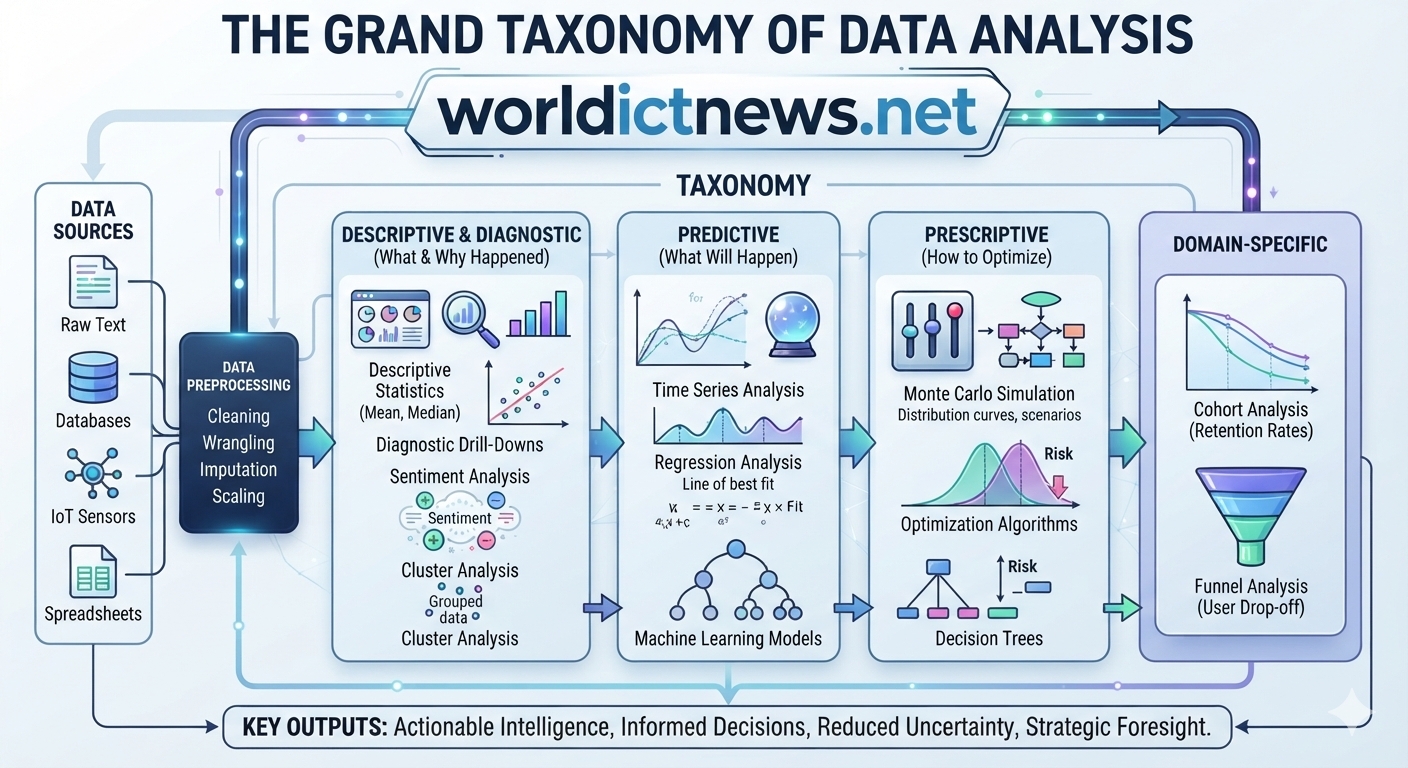
The Grand Taxonomy of Data Analysis: Techniques, Methods, and Real-World Applications. Raw data in its primitive form is like crude oil—valuable, but practically useless until it is systematically refined. Data analysis is the comprehensive refining process that converts chaotic datasets into structured, actionable intelligence. It bridges the gap between raw observation and strategic execution across every modern domain, from healthcare and high-frequency trading to supply chain logistics and social media sentiment.The scope of data analysis is vast, spanning basic descriptive arithmetic, core statistical modeling, domain-specific tracking, and complex machine learning pipelines. To leverage data effectively, practitioners must navigate this extensive landscape and select the exact combination of tools required for their specific objectives. This article serves as an exhaustive, end-to-end masterclass on modern data analysis. It covers foundational frameworks, the lifecycle of data analysis, advanced statistical and simulation frameworks, and specialized modeling strategies.1. The Architectural Pillars: The Four Types of Data AnalysisEvery technique in data science and analysis falls somewhere along a logical maturity curve. This curve consists of four primary analytical types, each answering a progressively more complex question.[Descriptive Analytics] ───> [Diagnostic Analytics] ───> [Predictive Analytics] ───> [Prescriptive Analytics]
"What happened?" "Why did it happen?" "What will happen?" "How do we optimize it?"
Descriptive Analytics ("What Happened?"): Forms the foundation of all reporting layers. It examines historical data to summarize what has already occurred within an organization using metrics like sums, counts, and baseline data distributions.Diagnostic Analytics ("Why Did It Happen?"): Moves beyond a summary of events to isolate root causes. It relies on data drill-downs, cross-tabulation, and anomaly detection to find out why a metric changed.Predictive Analytics ("What is Likely to Happen?"): Blends historical patterns with statistical algorithms and machine learning to forecast future trends. Rather than guaranteeing an absolute certainty, it evaluates the probability of future outcomes.Prescriptive Analytics ("How Do We Optimize It?"): Represents the top of the analytics maturity curve. It ingests the outputs of predictive models and simulates multiple potential scenarios to recommend optimal, automated strategies.2. The Data Analysis Process LifecycleNo matter which analytical technique is ultimately used, successful data analysis follows a structured, iterative end-to-end process:[1. Problem Definition] ──► [2. Data Collection] ──► [3. Data Cleaning]
│
[6. Storytelling & Viz] ◄── [5. Advanced Modeling] ◄── [4. Exploratory Analysis]
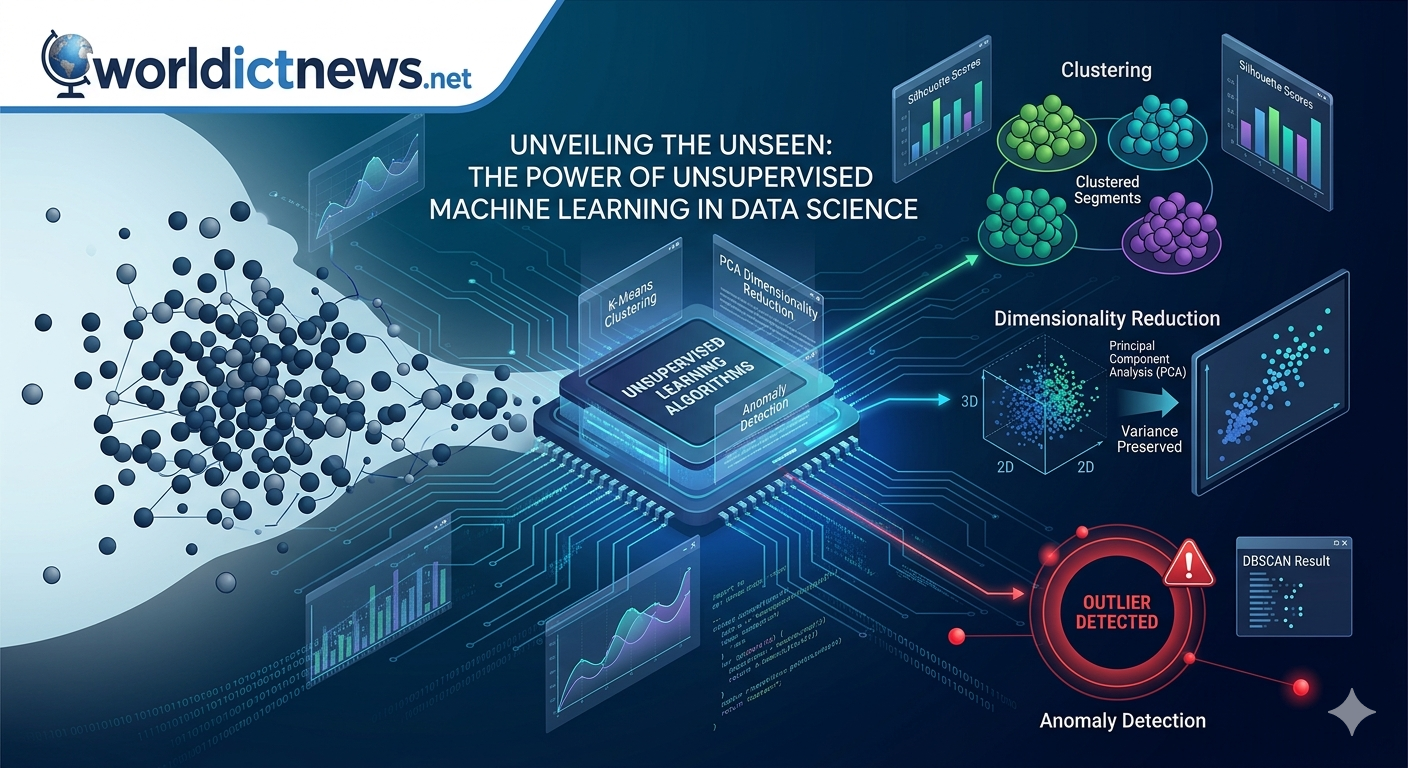
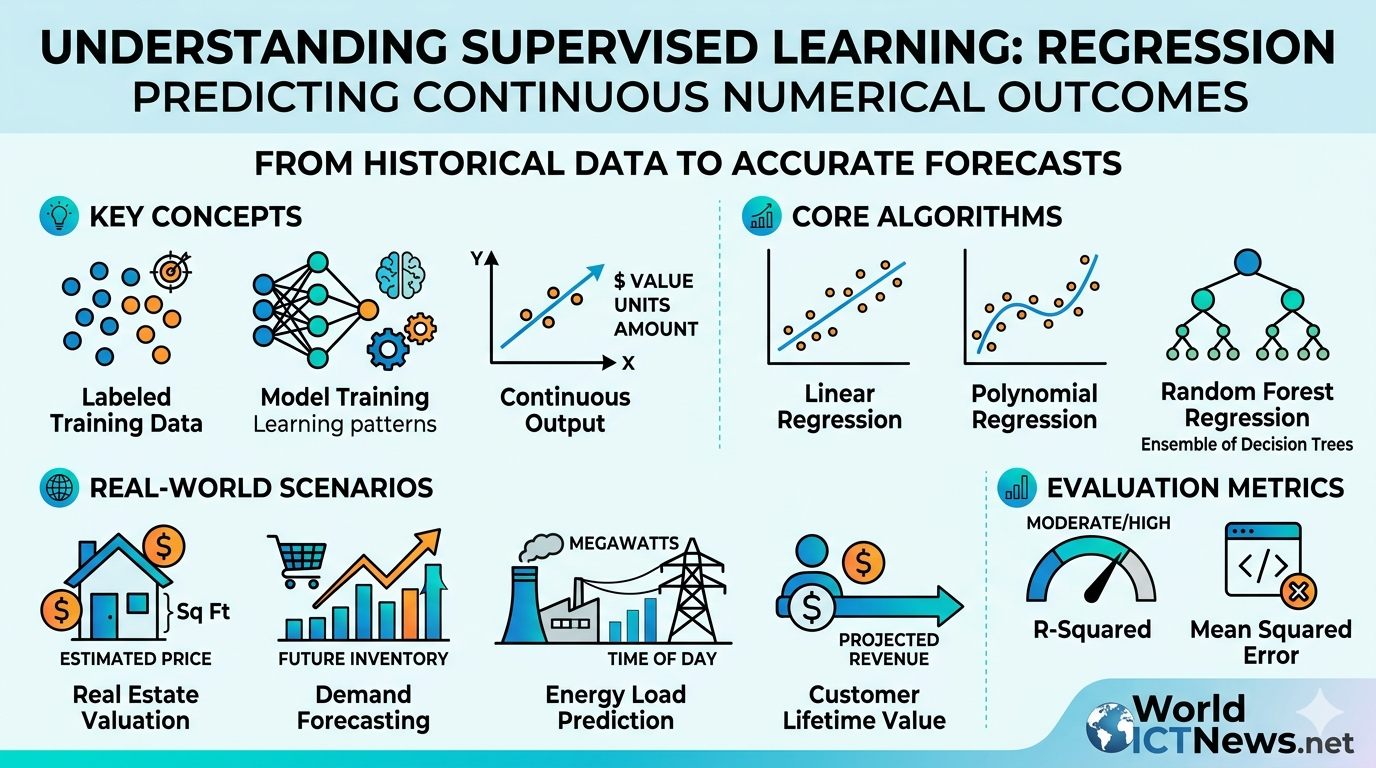
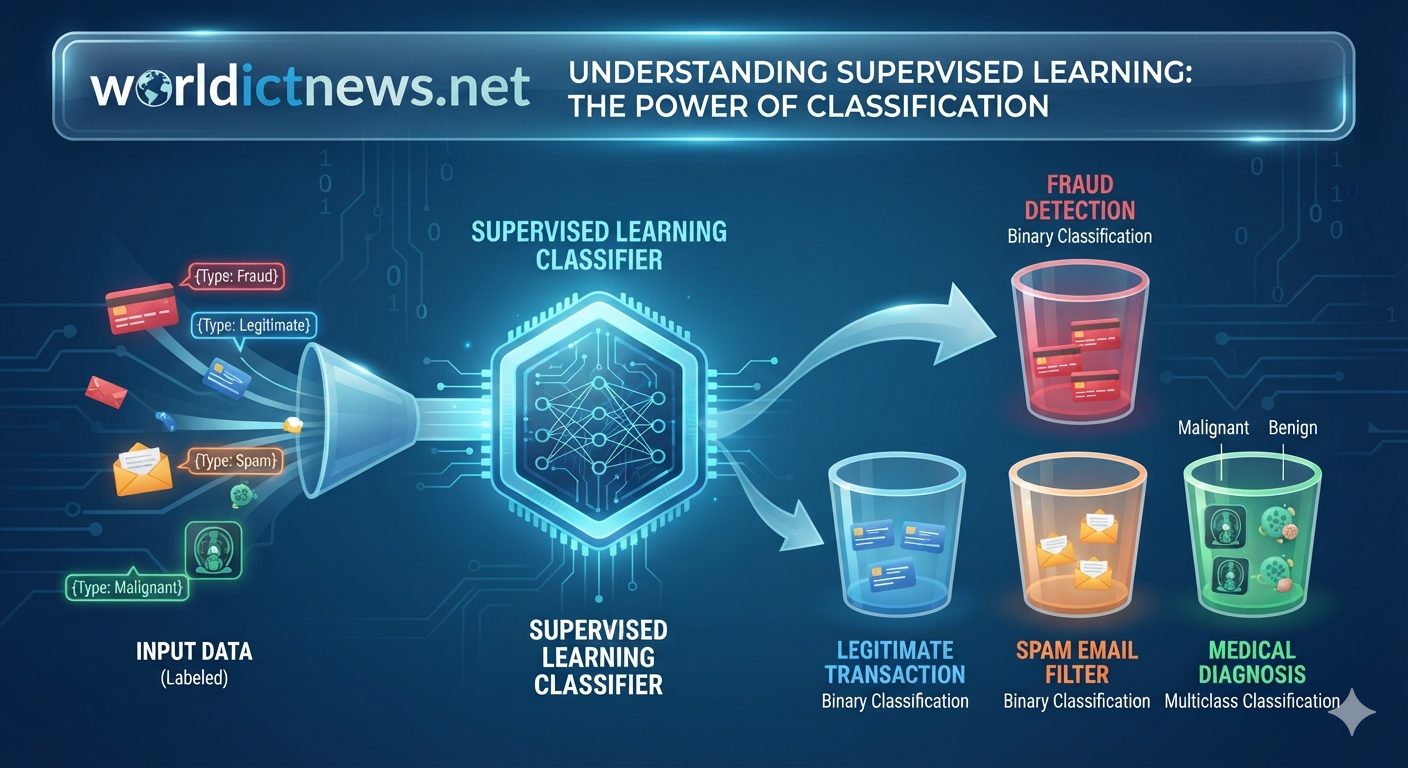
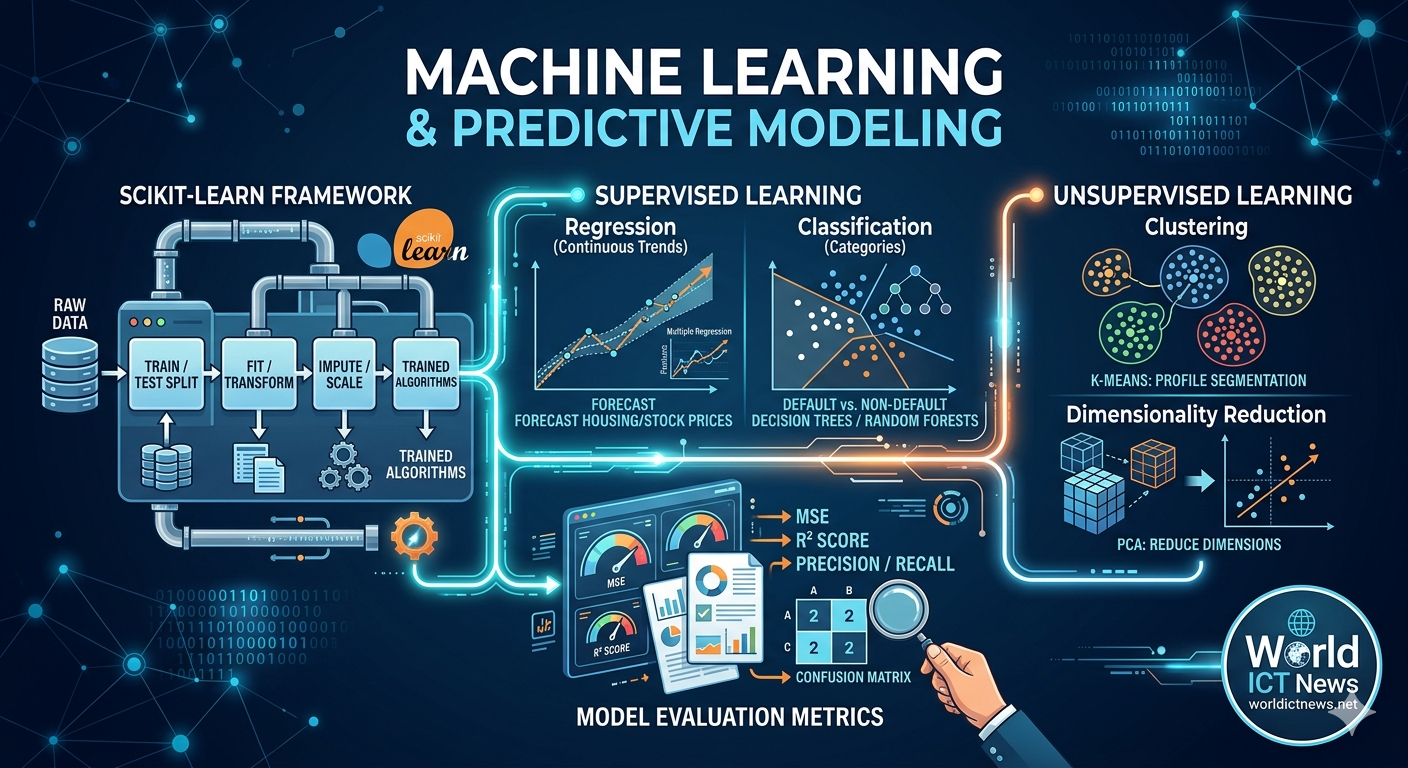
Problem Definition: Establish clear, measurable business or research questions (e.g., "How can we reduce customer churn by 15% next quarter?").Data Collection: Gather unstructured and structured data from SQL databases, APIs, web scraping, or IoT sensors.Data Cleaning (Wrangling): Handling missing entries (via removal or imputation), removing duplicates, correcting formatting errors, and filtering out statistical outliers. This step routinely consumes up to 80% of an analyst's timeline.Exploratory Data Analysis (EDA): Utilizing descriptive statistics and visualization libraries to spot obvious trends, distributions, and anomalies before deep modeling.Advanced Modeling & Analysis: Applying regression, machine learning, time series forecasting, or simulation models to extract deep insights.Data Visualization & Storytelling: Translating complex mathematical discoveries into intuitive charts, graphs, and executive dashboards using tools like Tableau, Power BI, or Python libraries.3. Core Statistical and Predictive Modeling TechniquesRegression AnalysisRegression analysis models the relationship between a continuous dependent outcome (\(Y\)) and one or more independent predictor variables (\(X\)). It is foundational for forecasting and uncovering trends.Linear Regression: Maps a straight-line relationship between two variables (e.g., how advertising spend impacts revenue) using the equation:\(Y=\beta {0}+\beta {1}X+\epsilon \)Logistic Regression: A classification technique used when the outcome variable is binary or categorical. It fits an S-shaped logistic curve to output a probability bounded strictly between 0 and 1 (e.g., predicting whether a customer will default on a loan [Yes/No]).Time Series AnalysisTime series analysis handles data points collected sequentially over regular intervals (daily, monthly, yearly). Unlike standard regression, which assumes every row of data is independent, time series recognizes that sequential data is highly dependent on what happened right before it.The Mechanism: It isolates specific temporal drivers like seasonality, overarching growth trends, and cyclical patterns.Common Methods: Autoregressive Integrated Moving Average (ARIMA), Exponential Smoothing, and modern deep learning models like Long Short-Term Memory (LSTM) networks.4. Unsupervised Pattern Discovery and Dimensionality ReductionCluster Analysis (Segmentation)Cluster analysis is an unsupervised machine learning technique that automatically sorts a dataset into distinct groups (clusters). Data points within the same group share high similarity, but differ significantly from points in other groups. Variable Y
▲
│ ● ● ▲ ▲
│ ● ● ● ▲ ▲ ▲
│ ● ● ▲ ▲
│
│ ■ ■ ■
│ ■ ■ ■ ■
└─────────────────────────────► Variable X
[K-Means discovers 3 distinct natural clusters]
K-Means Clustering: Mathematically partitions data into K distinct clusters by placing random centroids, assigning points based on geometric distance, and iteratively recalculating centers until the groupings stabilize.Hierarchical Clustering: Builds a tree-like structure of relationships (a dendrogram) by iteratively combining smaller groups, which is highly effective when the exact number of clusters is unknown ahead of time.Factor AnalysisFactor analysis is a data reduction technique used to uncover hidden, unobserved variables (called "factors") that are driving the patterns among your visible data columns.The Purpose: If a customer answers 20 different survey questions about a product, factor analysis can collapse those 20 answers down into 2 or 3 underlying, hidden concepts like "Brand Loyalty" or "Price Sensitivity."PCA vs. Factor Analysis: While Principal Component Analysis (PCA) simply combines variables to reduce space, factor analysis models an underlying structural reality, assuming hidden factors are actively causing the observed data.5. Advanced Simulations and Unstructured ExtractionMonte Carlo SimulationMonte Carlo simulation belongs under Prescriptive Analytics. Instead of trying to guess a single future outcome, it tests thousands of possible scenarios by introducing random variables within specific probability distributions. [Define Inputs & Ranges]
(e.g., Cost, Market Demand)
│
▼
┌───► [Generate Random Values]
│ (Based on distribution)
│ │
│ ▼
│ [Run Model Instance]
│ (Calculate outcome)
│ │
└───── [Repeat 10,000x]
│
▼
[Analyze Probability Map]
(Min, Max, Most Likely Risk)
The Method: By running a model 10,000+ times with fluctuating random inputs, it creates a probability distribution of all possible outcomes.Practical Use Case: Financial portfolio risk assessment (e.g., calculating the probability that a retirement fund will run out of money under thousands of different market conditions) and engineering stress testing.Sentiment AnalysisA major portion of enterprise data is unstructured, living inside text documents, customer service transcripts, emails, and product reviews. Sentiment analysis utilizes Natural Language Processing (NLP) to convert unstructured text into structured emotional data.The Method: Text classifiers scan text to determine whether the emotional tone is positive, negative, or neutral.Practical Application: Brand monitoring platforms tracking millions of tweets during a product launch to immediately alert PR teams if negative sentiment spikes.6. Domain-Specific MethodologiesCohort AnalysisCohort analysis breaks a dataset into related groups (cohorts) who share a common characteristic, tracking how their behavior shifts over time.Cohort Month ──► Month 1 Retention ──► Month 2 Retention ──► Month 3 Retention
January [ 90% ] [ 75% ] [ 60% ]
February [ 92% ] [ 80% ] [ 65% ]
March [ 85% ] [ 70% ] [ 55% ]
The Application: Grouping users by the exact month they signed up for a subscription service. By comparing retention decay curves across these cohorts, product teams can measure the long-term impact of software updates, seasonal shifts, or marketing campaigns.7. Comparative Framework of Core TechniquesTo help navigate this vast toolkit, this matrix summarizes how these core techniques fit together:TechniqueCore Analytical PillarPrimary Data InputStrategic Business OutcomeRegression AnalysisPredictiveContinuous/Categorical NumbersQuantifies relationships and baseline trends.Time Series AnalysisPredictiveSequential Time-Based DataForecasts cyclical demand and future metrics.Cluster AnalysisDiagnosticMulti-Variable Numeric/CategoricalDiscovers natural market and user segments.Factor AnalysisDescriptive / DiagnosticHigh-Dimensional Survey/Behavioral DataSimplifies complex datasets into core themes.Monte Carlo SimulationPrescriptiveProbabilistic Ranges & AssumptionsMaps operational risks and financial scenarios.Sentiment AnalysisDescriptive / DiagnosticUnstructured Text DocumentsDecodes customer feedback and public perception.Cohort AnalysisDiagnosticCustomer Lifecycle TimestampsMeasures user retention and behavioral decay.8. Conclusion: Choosing the Right TechniqueData analysis is not a single tool, but a highly interconnected matrix of diverse mathematical, statistical, and computational methodologies. Navigating this landscape effectively requires framing the problem clearly using the structured data analysis process before choosing an approach.An advanced machine learning pipeline or Monte Carlo simulation will fail if data cleaning is ignored, and a complex neural network is unnecessary if a straightforward regression can answer the core question with statistical certainty. By mastering this comprehensive taxonomy—from exploratory statistics to simulations and specialized domain metrics—analysts can confidently extract clear, actionable intelligence from chaotic data, helping organizations navigate uncertainty with precision.