A Comprehensive Guide to Cyber Incident Response Execution
Firefighting in the Digital Age: A Step-by-Step Guide to Incident Response Execution.
When a cyberattack strikes an organization, chaos is the default setting. Servers go dark, databases leak, ransom notes appear on screens, and panic spreads through leadership teams. In these critical moments, an Incident Responder is the digital equivalent of a firefighter. They do not just understand security theory; they execute a highly coordinated, tactical protocol to find the fire, contain it, extinguish it, and ensure the building doesn’t burn down again.
This article provides an operational, step-by-step blueprint of how an Incident Responder executes their duties during a cybersecurity crisis, structured around the industry-standard NIST SP 800-61 r2 framework.
Phase 1: Preparation (Before the Fire Starts)
Incident response does not begin when an alert fires; it begins months in advance. Execution in this phase focuses on establishing readiness, visibility, and tools.
1. Tool Deployment and Health Checks
An responder cannot defend what they cannot see. The first tactical step is ensuring the operational readiness of the Security Operations Center (SOC) stack:
EDR/XDR (Endpoint Detection and Response): Verifying agents are healthy, updated, and actively checking in across all servers, workstations, and cloud instances.
SIEM/SOAR Configuration: Ensuring logs from firewalls, active directories, DNS servers, and cloud providers (AWS, Azure) are normalizing and aggregating correctly.
Out-of-Band Communication: Setting up secure, separate communication channels (like encrypted Signal groups or standalone Microsoft Teams tenants) in case the corporate network and email systems are compromised.
2. Playbook and Kits Standardization
Responders build and update "Jump Bags"—digital toolkits containing pre-compiled, static forensic binaries (like Sysinternals, FTK Imager Lite, or KAPE) stored on secure, write-blocked media or isolated cloud repositories. They also continuously drill using tabletop exercises to ensure the chain of command is clear.
Phase 2: Detection and Analysis (Spotting the Smoke)
This phase marks the official start of an active incident. The responder transitions from standard monitoring to high-alert investigation.
1. Alert Triage and Validation
A typical enterprise triggers thousands of security alerts daily. The responder must instantly separate noise from actual malicious behavior.
Correlating Events: If an alert shows an unusual PowerShell script executing on a workstation, the responder immediately checks firewall logs to see if that same workstation initiated an outbound connection to an unknown IP address on port 443.
Eliminating False Positives: Verifying if the "malicious activity" was simply an unannounced scheduled task built by the internal IT operations team.
2. Initial Scoping and Indicators of Compromise (IoCs)
Once an alert is validated as a true positive, the responder identifies the Indicators of Compromise (IoCs). This includes:
Cryptographic hashes of malicious files (MD5/SHA256).
Malicious domain names and Command and Control (C2) IP addresses.
Specific registry keys modified by malware.
The responder takes these IoCs and runs a global sweep across the SIEM to identify the "Blast Radius"—how many endpoints or accounts have touched these same indicators.
3. Determining the Scope and Severity
The incident is categorized based on impact:
Low: A single workstation infected with adware.
Medium: An employee's credentials compromised, but multi-factor authentication (MFA) blocked the login.
High/Critical: Active hands-on-keyboard adversary moving laterally through the network, or data exfiltration detected.
Phase 3: Containment (Putting Up the Firewalls)
The primary objective of containment is to limit the damage and prevent the attacker or malware from moving further into the network. Responders usually divide this into two sub-steps.
1. Short-Term Containment
Speed is critical. The responder executes immediate mitigation actions:
Network Isolation: Using the EDR tool to logically isolate infected endpoints from the network while maintaining a secure management channel for forensics.
Account Disablement: Instantly disabling compromised Active Directory or Microsoft Entra ID accounts to stop lateral movement.
Firewall Blocks: Implementing temporary block rules on perimeter firewalls for the identified external C2 IP addresses.
2. Long-Term Containment and Evidence Preservation
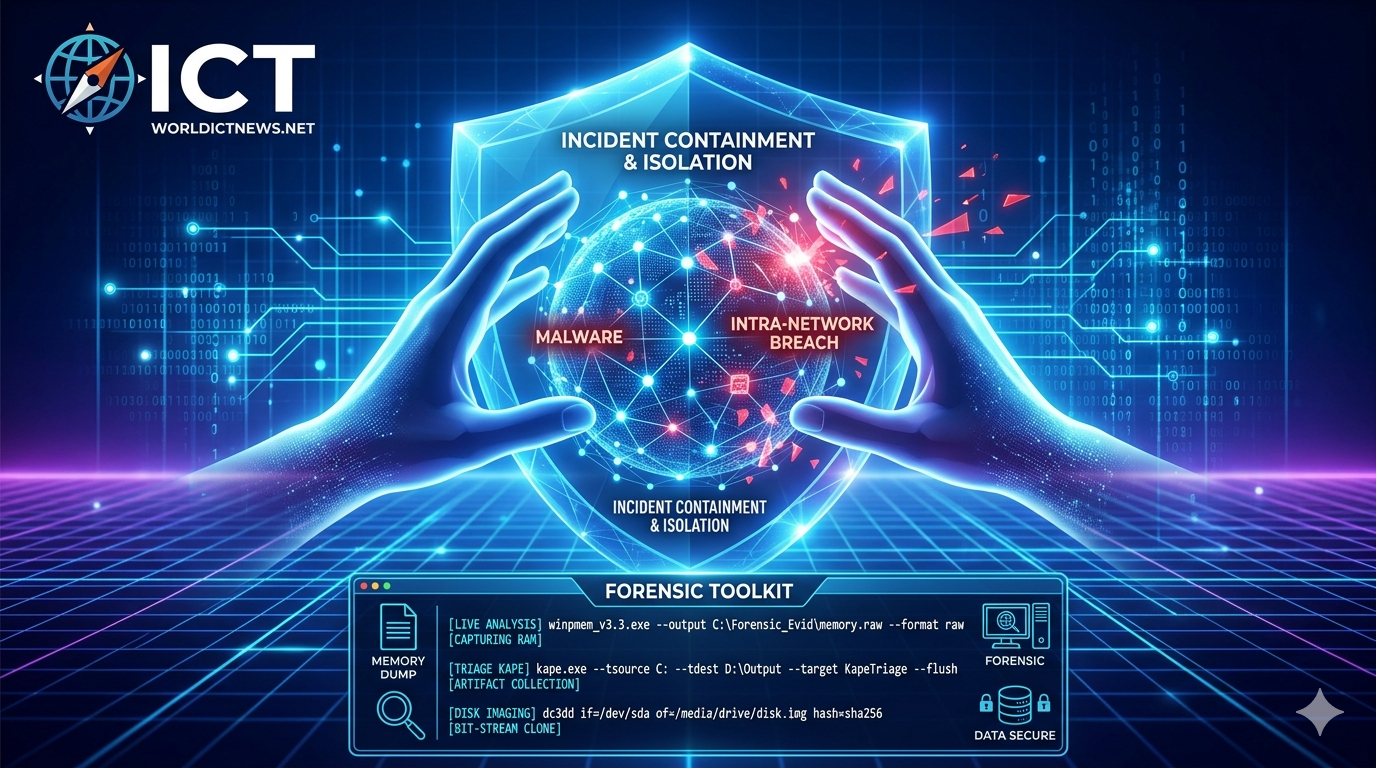
Before cleaning up the systems, the responder must preserve volatile data for legal and forensic investigation. Crucial Rule: Never reboot a machine before capturing memory. Rebooting destroys the RAM, which holds the active malware processes, encryption keys, and network connections.
Live Memory Acquisition: Running tools like DumpIt or LiME to capture the system memory (RAM).
Disk Imaging: Creating bit-stream copies of hard drives using hardware write-blockers to ensure no data is altered during the extraction process.
Documenting Chain of Custody: Meticulously tracking who collected the evidence, at what exact time, and calculating cryptographic hashes of the forensic images to ensure tampering cannot happen.
Technical Appendix: Forensic Command-Line Execution
When executing live forensics on an infected machine, an incident responder must use precise commands to collect volatile data without contaminating the host operating system. Below are the standard tools and commands executed during Windows and Linux investigations.
1. Volatile Memory Collection (RAM Capture)
Capturing RAM must be done before any system shutdowns or reboots to preserve running processes, network connections, and unencrypted credentials.
Windows: WinPmem
WinPmem is an open-source tool used to dump physical memory into a single raw file. Run via an administrative Command Prompt or PowerShell:
cmd
winpmem_v3.3.rc3.exe --output C:\Forensic_Evid\memory.raw --format raw
Use code with caution.
--output: Specifies the secure destination folder (ideally an external, write-blocked drive or network share).--format raw: Outputs a standard.rawor.dmpimage compatible with memory analysis tools like Volatility.
Linux: LiME (Linux Memory Extractor)
On Linux systems, memory is grabbed using a kernel module approach. Responders compile or load the LiME module to dump memory over the network or to a local disk:
bash
sudo insmod lime-5.4.0-77-generic.ko "path=/tmp/linux_memory.lime format=raw"
Use code with caution.
insmod: Inserts the LiME kernel module.path=: The target file path for the memory dump.
2. Triage and Artifact Collection (Live Response)
Instead of waiting hours for full disk imaging, responders use triage tools to extract high-value artifacts (like event logs, registry hives, and MFT data) in minutes.
Windows: KAPE (Kroll Artifact Parser and Extractor)
KAPE automate the collection and parsing of Windows artifacts. It uses targets (gkape scripts) to pull specific forensic files:
cmd
kape.exe --tsource C: --tdest D:\TargetOutput --target KapeTriage --flush
Use code with caution.
--tsource C:: Identifies the target system drive.--tdest: The destination directory where the collected files will be compressed and saved.--target KapeTriage: Automatically grabs web browser history, event logs, prefetch files, and registry hives.
Linux: UAC (Unix Artifact Collector)
UAC is a script-based tool used to live-triage Linux and Unix-like operating systems:
bash
sudo ./uac -p ir_triage /tmp/uac-output
Use code with caution.
-p ir_triage: Runs a pre-configured profile designed specifically for Incident Response triage, gathering information on active network connections, open files, and system configurations.
3. Bit-Stream Disk Imaging (Dead Box Forensics)
When a complete clone of the hard drive is required for deep analysis, responders use the standard utility dd or its forensics-focused cousin dc3dd to capture the block layer.
Linux/Unix: dc3dd
This tool provides a safe command-line architecture to patch data straight to an external storage unit while hashing on the fly to protect the chain of custody.
bash
sudo dc3dd if=/dev/sda of=/media/forensic_drive/suspect_disk.img hash=sha256 log=/media/forensic_drive/imaging_log.txt
Use code with caution.
if=/dev/sda: The source file parameter representing the physical drive under investigation.of=: The path where the exact image file copy will be compiled.hash=sha256: Calculates the SHA-256 hash automatically during the imaging process to verify data integrity.
4. Memory Analysis (Post-Collection)
Once the memory file (.raw) is extracted and moved to an isolated investigation workstation, the responder parses it using analysis frameworks.
Cross-Platform: Volatility 3
Volatility allows the responder to dissect the captured memory dump to find hidden processes, rootkits, or malicious network connections that were active during the incident.
bash
python3 vol.py -f /path/to/memory.raw windows.pslist.PsList
Use code with caution.
-f: Feeds the acquired memory image into the framework.windows.pslist.PsList: A plugin command that reconstructs and displays the process tree to identify if malicious processes were mimicking legitimate system actions (likesvchost.exe).
Phase 4: Eradication (Killing the Root Infection)
Once the threat is safely contained and evidence is locked down, the responder switches to a search-and-destroy mindset. Eradication means completely removing all elements of the incident from the environment.
1. Root Cause Analysis
The responder looks backward to figure out exactly how the attacker got in (Weaponization and Delivery phase of the Cyber Kill Chain). Did they exploit an unpatched VPN vulnerability? Was it a phishing email?
2. Threat Removal
Malware Deletion: Manually removing persistent registry keys, scheduled tasks, and malicious binaries that automated antivirus engines might have missed.
Vulnerability Patching: Closing the door the attacker used. If a public-facing server was exploited via an old Apache vulnerability, that server must be patched immediately.
Credential Revocation: Forcing an organization-wide password reset and revoking all active OAuth tokens across the cloud ecosystem to ensure the attacker cannot simply log back in using valid, hijacked sessions.
Phase 5: Recovery (Restoring Business Operations)
Recovery focuses on safely returning affected systems to production and verifying that they are operating cleanly.
1. System Restoration
Responders work alongside IT engineering teams to rebuild infrastructure:
Clean Rebuilds: The gold standard is rebuilding affected servers from trusted Infrastructure-as-Code (IaC) templates or known-clean gold images, rather than trying to "clean" an heavily compromised operating system.
Backup Verification: If restoring from backups, the responder scans the backup images before bringing them live to ensure the malware wasn't already sitting dormant inside the backup archives weeks prior to the attack.
2. Enhanced Continuous Monitoring
Once a system is back online, it is placed in an "Intensive Care Unit" status. The responder deploys aggressive monitoring rules on those specific assets for the next 14 to 30 days, knowing that attackers often try to return immediately if they lose access.
Phase 6: Lessons Learned (Post-Incident Optimization)
Often neglected due to fatigue, this is the most critical phase for long-term organizational security. It occurs days or weeks after the threat has been resolved.
1. Post-Mortem Meeting
The responder brings together leadership, legal, HR, and IT teams to review a strict timeline of events:
What happened, and at what time?
How well did the team respond? Were the playbooks followed?
Where were the blind spots? (e.g., "We lacked logs for our cloud storage bucket, which delayed our analysis by 6 hours.")
2. Updating Defenses and Documentation
The final execution step is converting the scars of the attack into permanent armor:
Modifying SIEM detection rules to catch the specific techniques used by this adversary in the future.
Rewriting Incident Response playbooks to address the bottlenecks discovered during the crisis.
Publishing a final, formal Incident Report detailing the root cause, financial impact, data scope, and remediation efforts for regulatory compliance and executive leadership.
Conclusion
Incident response is a highly structured discipline where methodology beats intuition every time. By systematically moving through Preparation, Detection, Containment, Eradication, Recovery, and Lessons Learned, a responder removes emotion from a crisis. This step-by-step execution ensures that an organization can withstand even the most aggressive cyberattacks, limiting downtime, protecting data integrity, and emerging more resilient against the threats of tomorrow.
Did you find this ICT insight helpful?